
What Is Cost Per Click (CPC)?
Cost per click (CPC) is a metric that measures how much an advertiser pays each time someone clicks on their ad. And it’s one of the most important metrics in online advertising.
Why?
Because CPC affects your return on investment (ROI). So, your return might have to be quite high if the keyword is expensive.
To give you a sense of just how costly keywords can be, we searched our keyword database to find the most expensive terms that got at least 100 searches per month between June 2024 and November 2024.
Here’s a sample of some of the results:
| Keyword | Average Monthly Search Volume | Average CPC |
| chrome msi | 523 | $1,351 |
| goformz | 4,933 | $1,000 |
| rue & ziffra | 428 | $869 |
| olay website | 125 | $695 |
| computer vision development services | 185 | $654 |
| mass tort definition | 290 | $381 |
| verizon 4 lines family plan | 198 | $355 |
| estee lauder website | 150 | $255 |
In many cases, these terms represent valuable opportunities for the advertiser because there’s good potential for searchers to buy.
And in some cases, the advertiser can capitalize on a competitor’s brand recognition to present themselves as a viable alternative.
Now that you know more about why CPC matters, let’s get into the details.
How CPC Works
CPC marketing falls under the pay-per-click (PPC) advertising model—popular among platforms such as Google, Facebook, and Amazon.
In CPC advertising, you participate in an auction-style system where you set a maximum bid for your ad.
This bid represents the highest amount you're willing to pay for a single click on your ad. The actual cost per click is often lower than your maximum bid.
When setting up your ad campaign, you choose specific keywords (for search ads) or ad placements (for display ads) relevant to your product or service.
In search, your ad can appear when someone looks up the keywords you've selected.
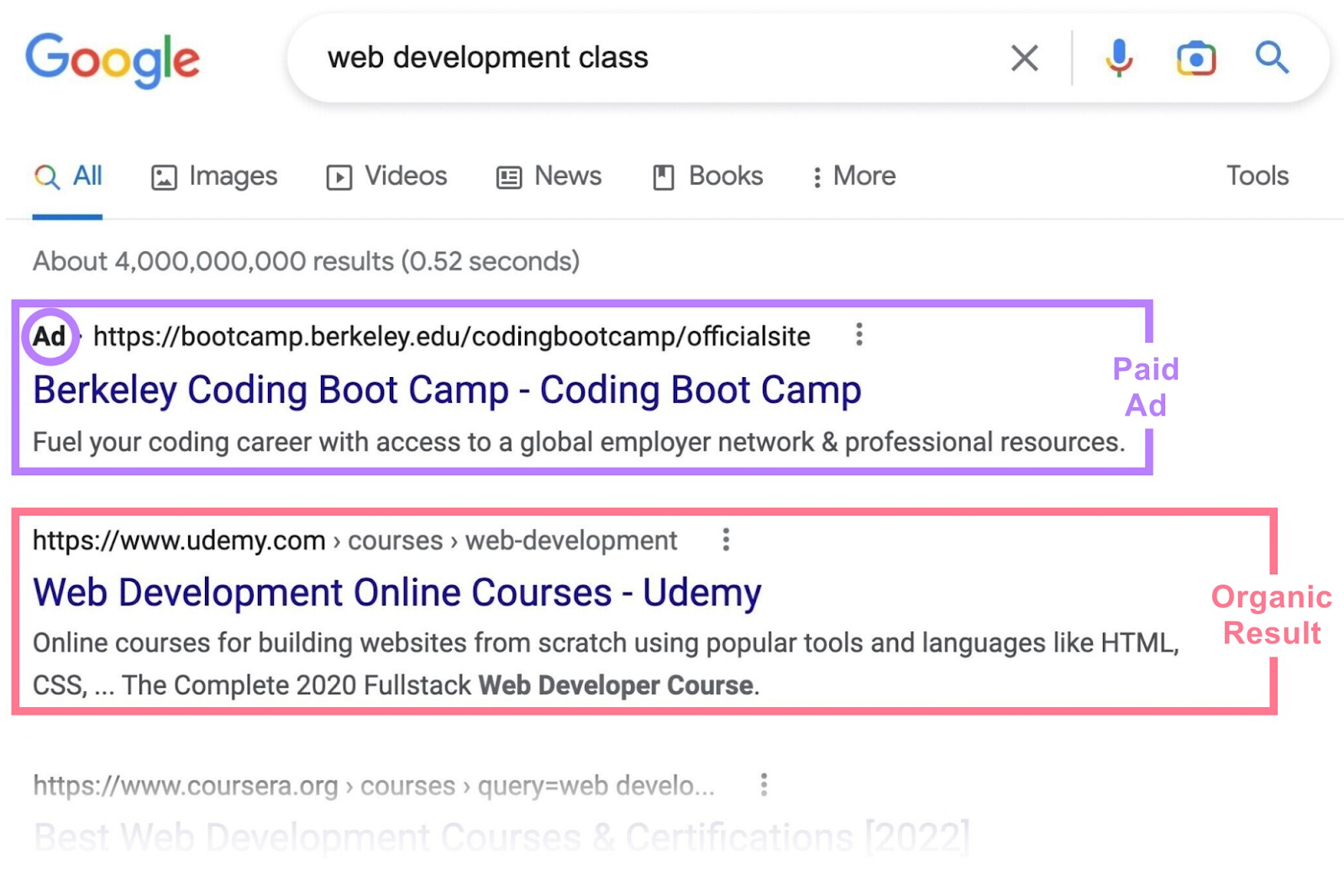
In the case of display ads, your ad can show up on websites or apps that have content related to your chosen ad placements. Like this:
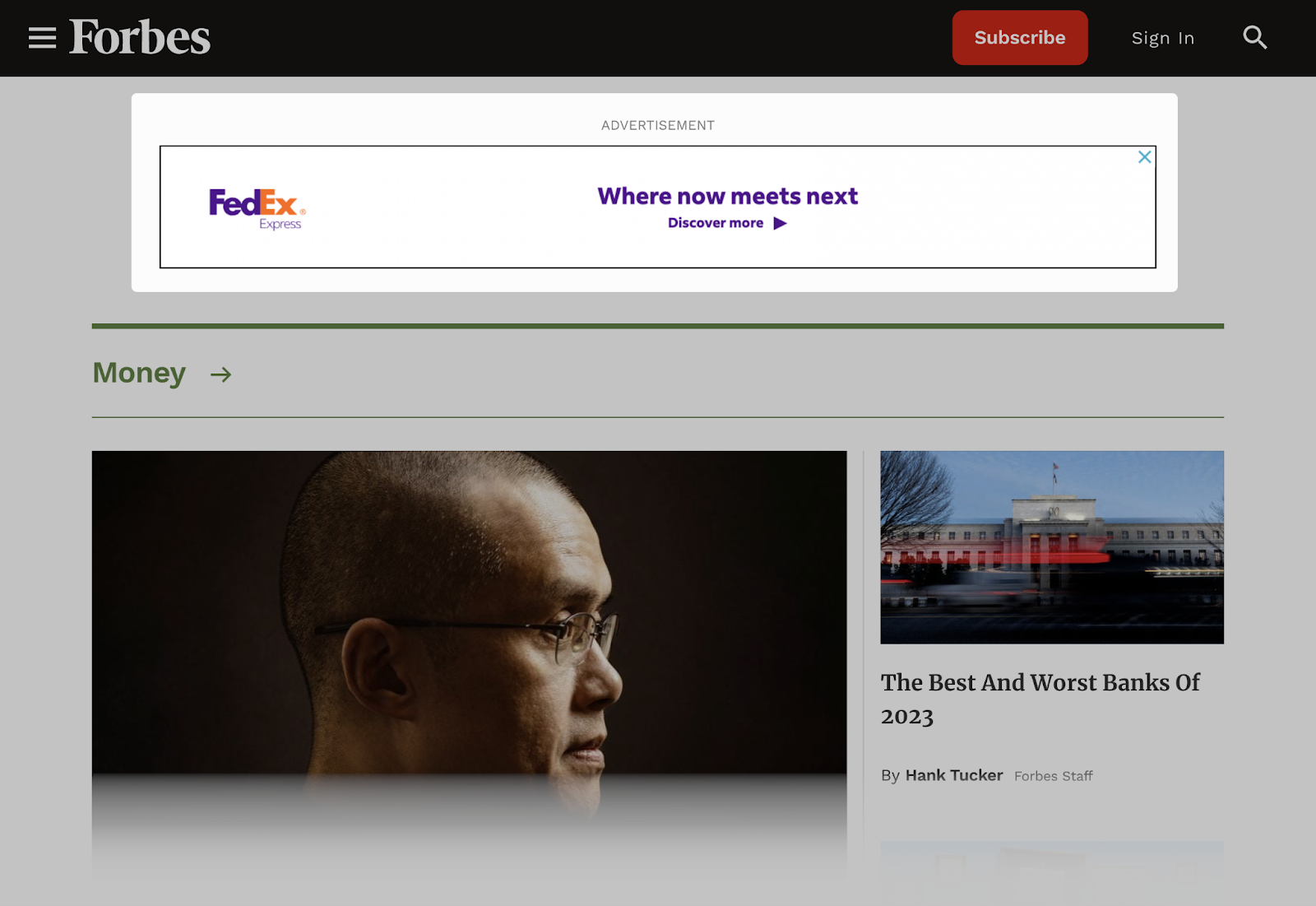
You don't pay anything until someone actually clicks on your ad. And the amount you pay per click depends on factors like:
- Your maximum bid
- Quality and relevance of your ad
- Competition level for the keywords or ad placements you've chosen
To get the most out of CPC ads, you need to choose the right keywords or ad placements, create compelling ads, and optimize your landing pages to convert visitors into customers.
Pros and Cons of CPC Advertising
CPC advertising enables you to pay only for clicks and provides measurable results. It also comes with challenges like high competition and potential click fraud. Here are some of the main pros and cons:
Pros of CPC Advertising
- Custom targeting: You can ensure your ads reach the people most likely interested in your products by targeting specific keywords, demographics, locations, and devices. This targeted approach improves your chances of conversion.
- Pay only for clicks: CPC ads charge you when someone clicks on your ad. So you spend money only when there's a chance of attracting a potential customer to your website.
- Control your budget: You can set your maximum bid and daily budget. This flexibility allows you to adjust your spend based on your ads' performance—for complete control.
- Measurable results: Cost-per-click advertising provides detailed analytics that track how many clicks, impressions, and conversions your ads receive. So you can understand your ads' effectiveness plus how to optimize them for improved results.
Cons of CPC Advertising
- Competitive marketplace: In highly competitive markets, cost per click can be high—especially for sought-after keywords and ad placements. Which can be challenging for small businesses with limited budgets competing against larger companies.
- Risk of click fraud: Some clicks on your ads might come from bots or competitors looking to deplete your budget. Click fraud can affect your campaign’s effectiveness and your overall budget.
- Requires continuous optimization: To get the most out of your CPC campaigns, you must regularly monitor and tweak various aspects like ad copy, keywords, and landing pages. It’s an ongoing, tedious process you can’t avoid if you want to maintain effective campaigns.
- Learning curve: Successfully setting up and managing CPC campaigns requires a solid understanding of digital advertising principles and individual ad platforms. Beginners may have a steep learning curve before they can optimally manage campaigns.
CPC vs. CPM
CPC charges you for each click on your ad, while CPM charges you for every 1,000 ad impressions.
When deciding between CPC and CPM, consider your advertising goals, target audience, and budget.
CPC is often the better choice to drive targeted traffic and conversions. CPM is more suitable for increasing brand exposure and reaching a wider audience.
Here's a quick comparison between the two:
| Factors | CPC | CPM |
| Pricing | Pay per click | Pay per 1,000 impressions |
| Focus | Encourages direct interaction with the ad | Focuses on broad exposure and visibility |
| Best for | Driving actions like sales or signups | Builds brand awareness and visibility |
| Cost | Varies based on competition and ad quality | Fixed, generally lower than CPC |
| Budget Flexibility | Allows for precise budget control based on clicks | Budget often requires a larger initial investment for broad reach |
| Measurement | Metrics focus on actions (clicks) | Metrics focus on impressions (views) |
Types of CPC Ads
There are five broad types of CPC ads. Each ad type has unique features and best suits specific marketing objectives.
Search Ads
Search ads appear on search engine results pages (SERPs) when users search for keywords related to your business.
They can show up at the top or bottom of the SERP. And typically include a headline, description, and URL. Here’s what they look like:
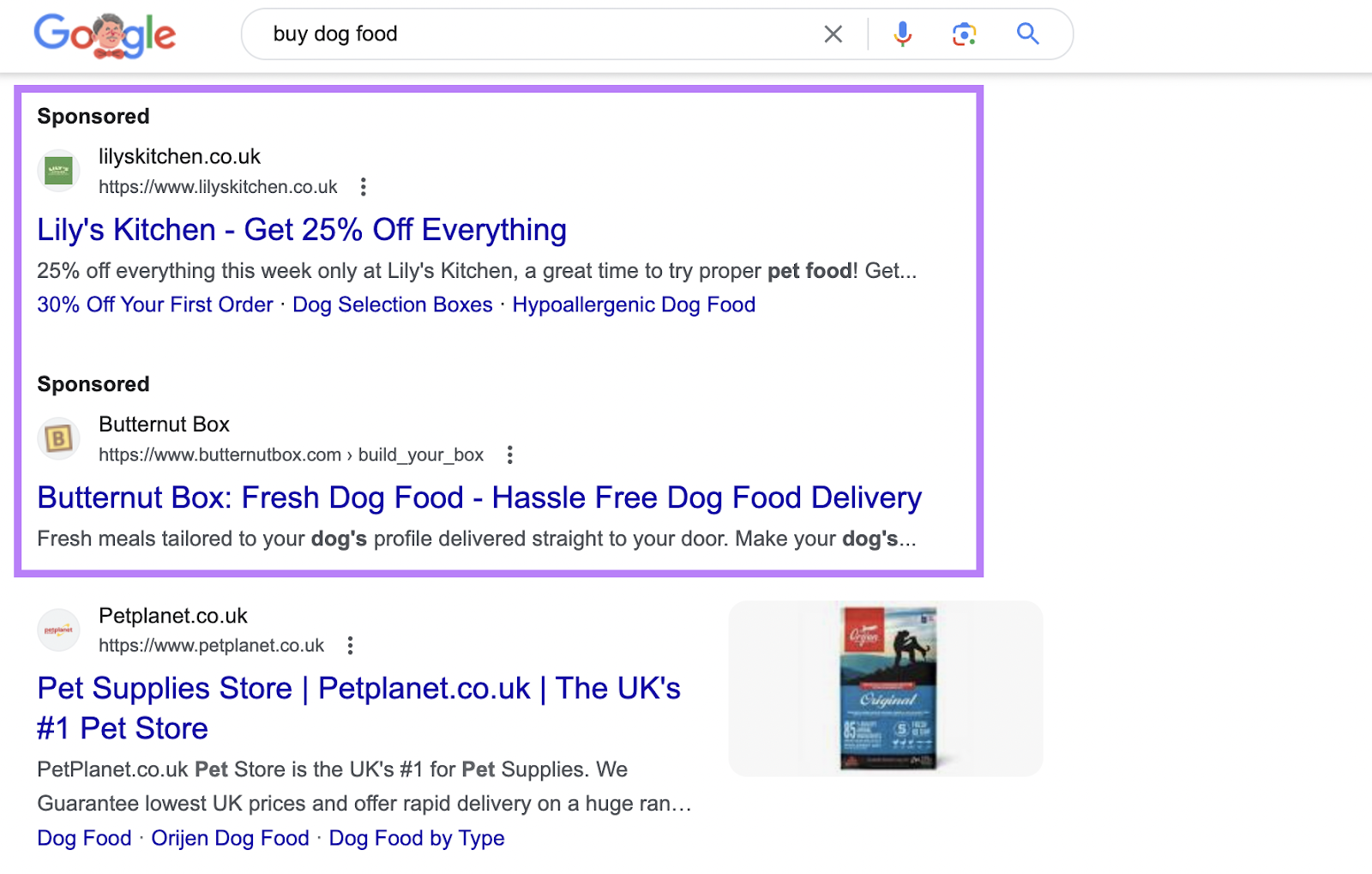
Search ads help you reach potential customers who are actively looking for what you offer. Increasing the chances of a click and conversion.
Display Ads
Display ads are visual advertisements shown on websites and apps that are part of an advertising network (like the Google Display Network).
Here’s an example from Investopedia’s website:

Display ads help you reach a wide audience, increase brand awareness, and drive traffic to your website.
You’ll be able to target users based on their demographics, interests, and behaviors. Ensuring your message reaches the right people.
Shopping Ads
Shopping ads show your products on a SERP when users look for related items. They include an image, price, and description. Like this:
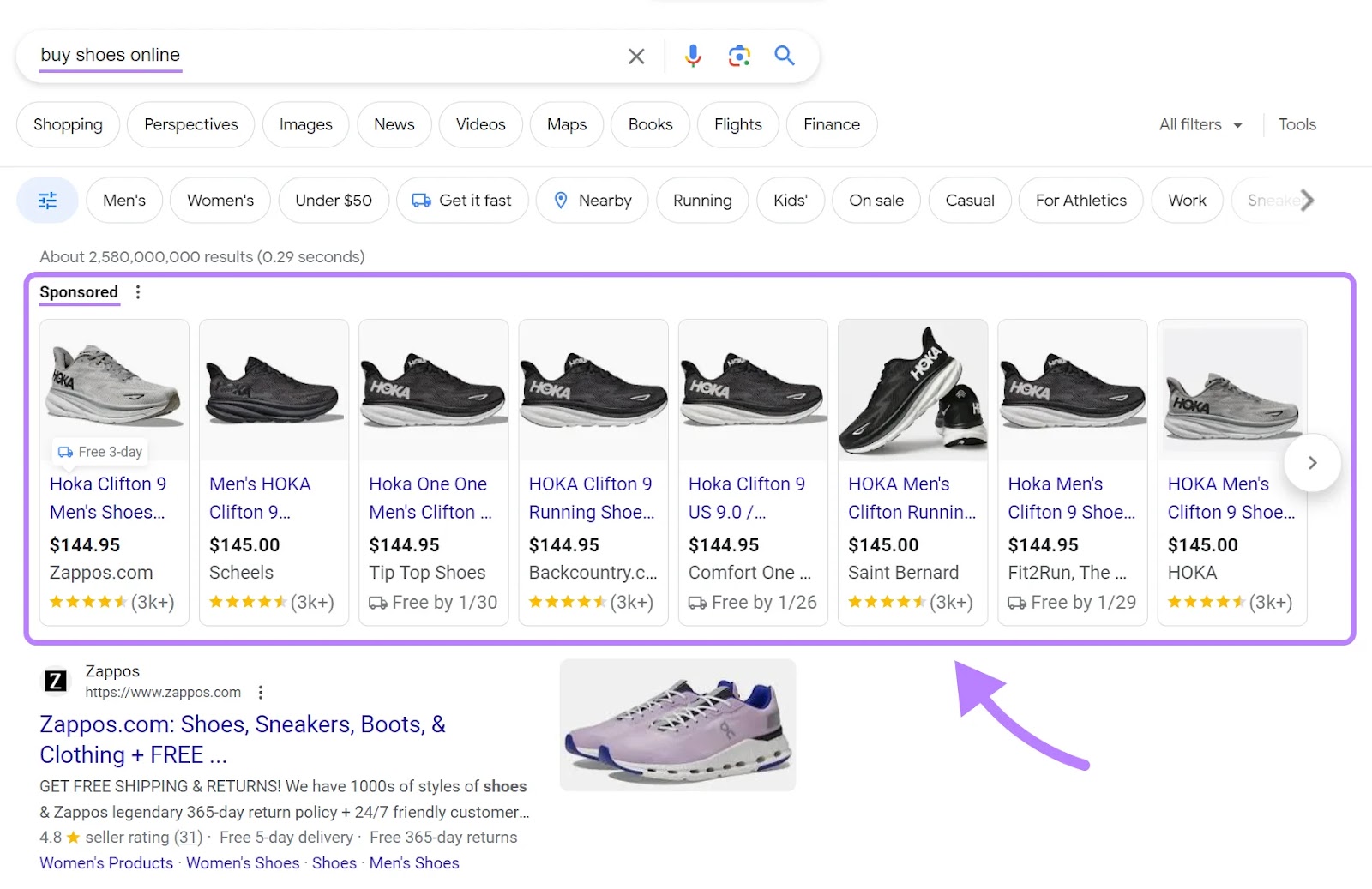
Shopping ads target users who are actively searching for the products you sell.
They're highly effective in driving qualified traffic to your online store. Which can lead to higher conversion rates and increased sales.
Further reading: Conversion Rate Optimization: 9 Tactics That Work
Social Media Ads
Social media ads allow you to reach potential customers on platforms like Facebook, Instagram, X (formerly Twitter), and LinkedIn.
These ads can take various forms—like sponsored posts, carousel ads, or video ads.
Here’s an example of a Facebook ad from Nom Nom:

You can tailor social media ads based on demographic and interest-based data. To ensure they appear to users who may be the most interested in your products or services.
Retargeting Ads
Retargeting ads reach individuals who have previously visited your website but didn't make a purchase.
Using cookies, these ads "follow" your past visitors across the web and serve your ads on various platforms and websites they visit.
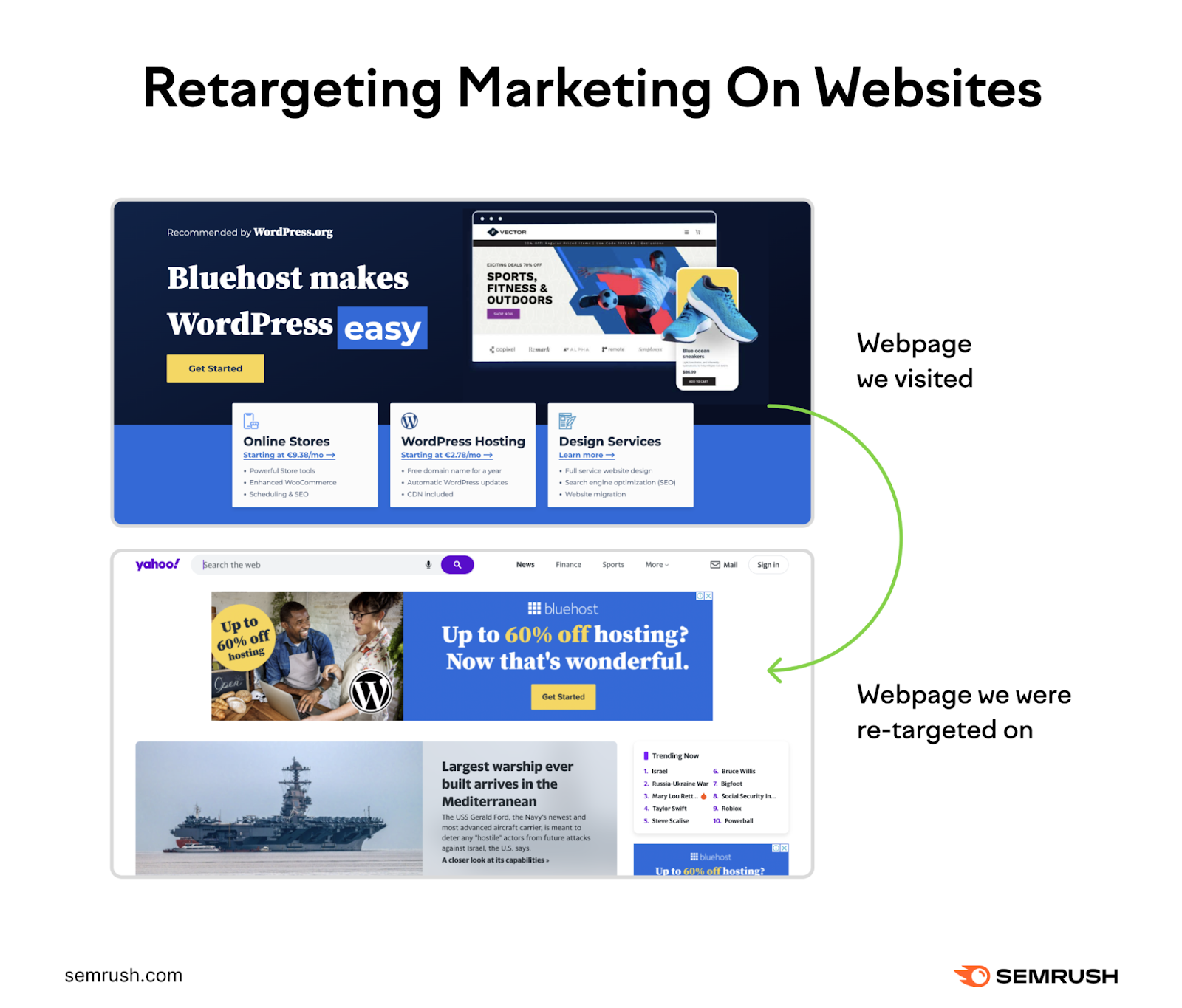
They act as reminders, encouraging users to return and complete a purchase.
Retargeting ads typically have high conversion rates because they target users already familiar with your product. They can be text, image, and video-based.
Ad platforms like Google and Meta offer robust retargeting capabilities.
How to Calculate Cost Per Click
Cost per click is calculated by dividing the total cost of an ad by the total number of clicks.
The CPC formula looks like this:
Cost per click = total ad cost / total number of clicks
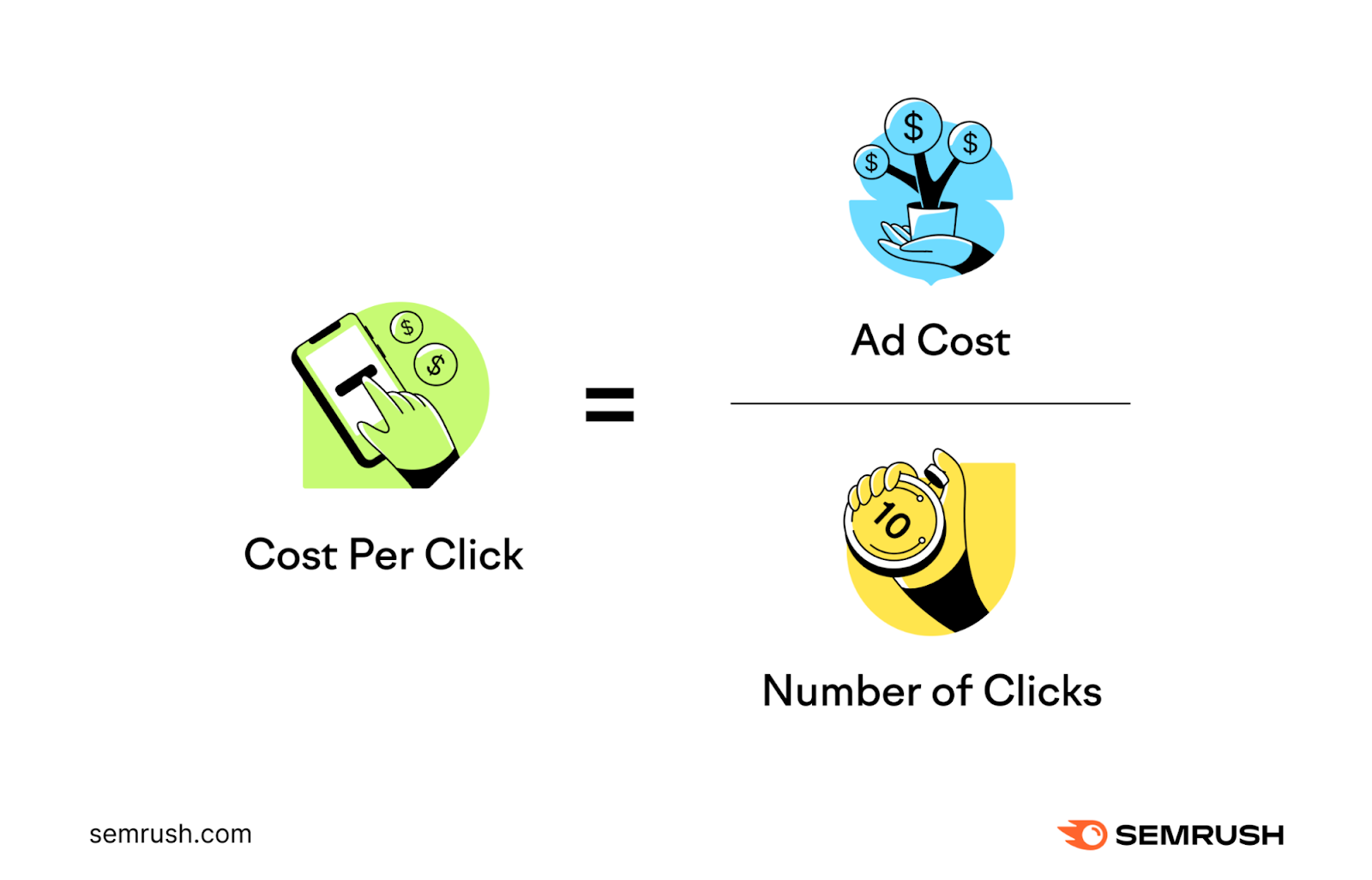
For example, if you spent $100 on a PPC campaign and got 500 clicks, your CPC would be 20 cents.
In summary:
$100 / 500 = 20 cents
How to Find a Keyword’s Cost Per Click
There are a few ways to find a keyword's average cost per click. Here are several tools that can help:
Semrush
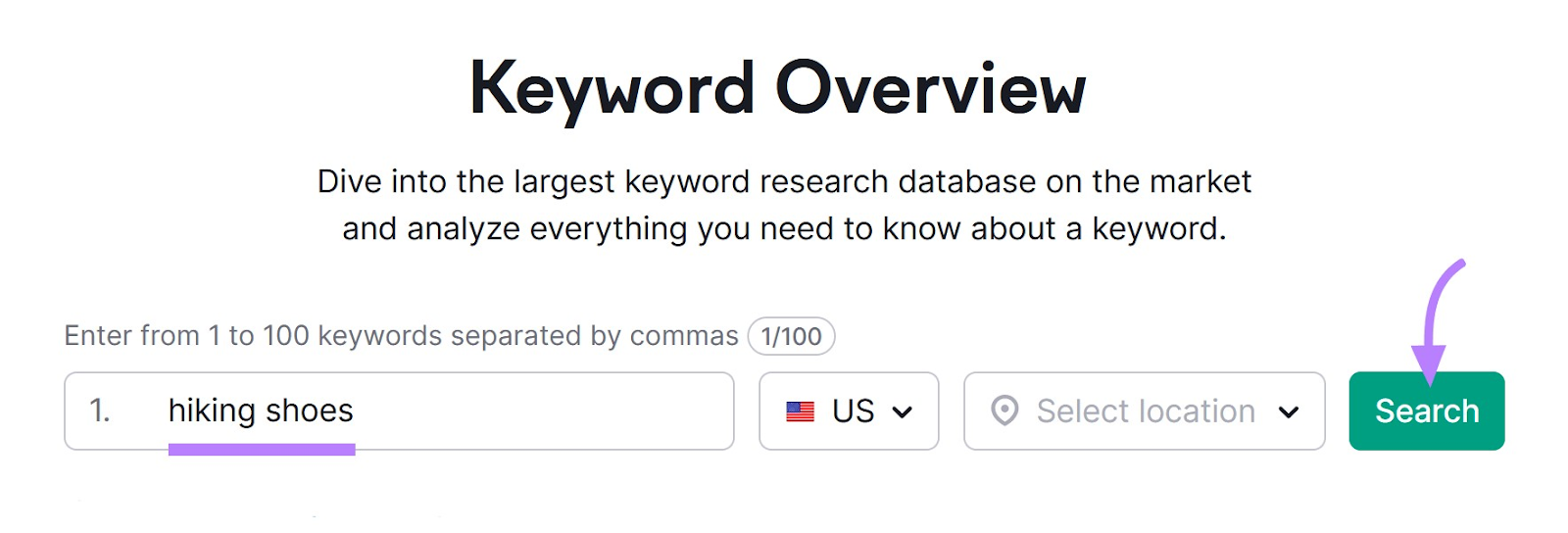
Find a keyword’s CPC with Keyword Overview.
Start by entering your keyword and clicking “Search.”
You’ll see the keyword’s CPC in the table labeled “CPC.”
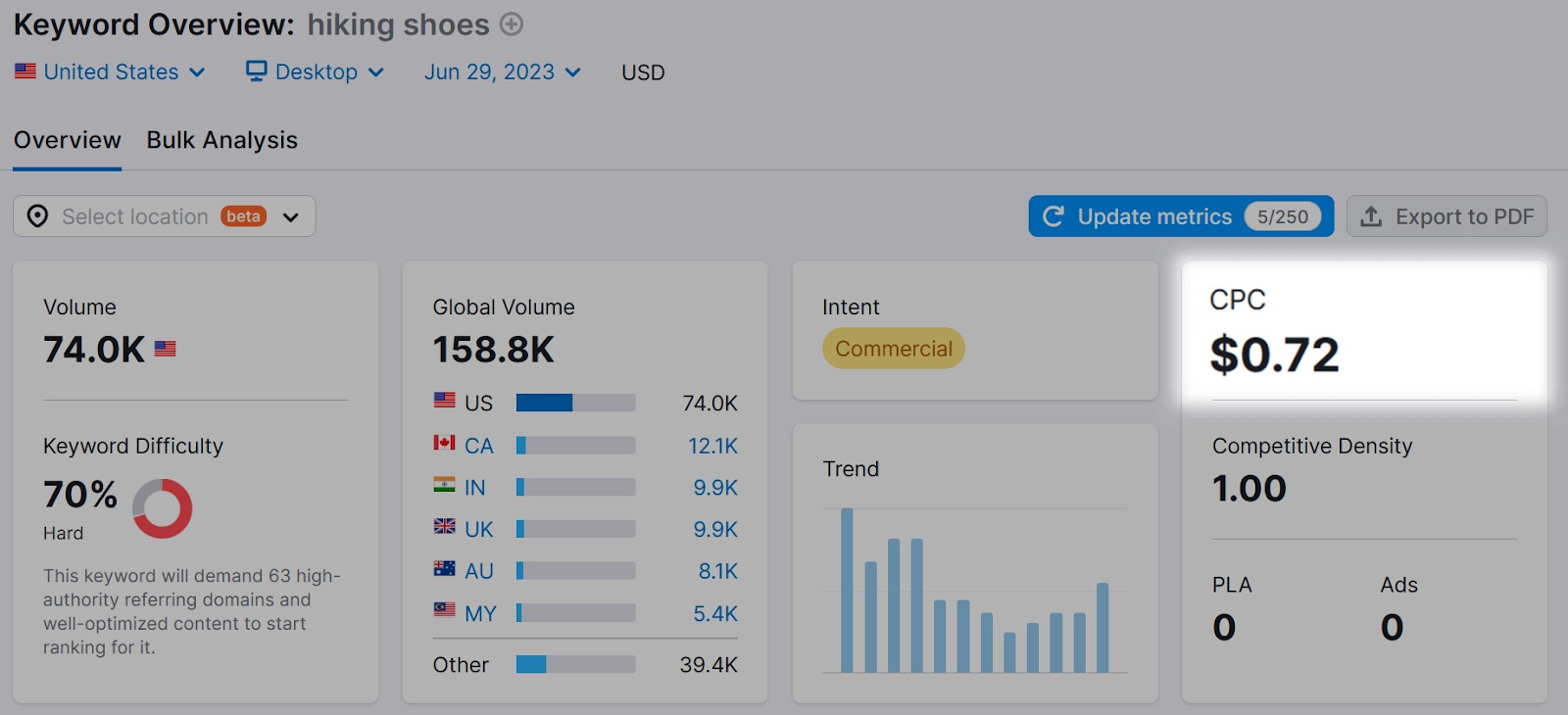
That’s the average price advertisers pay for a user to click on an ad triggered by the keyword in Google Ads.
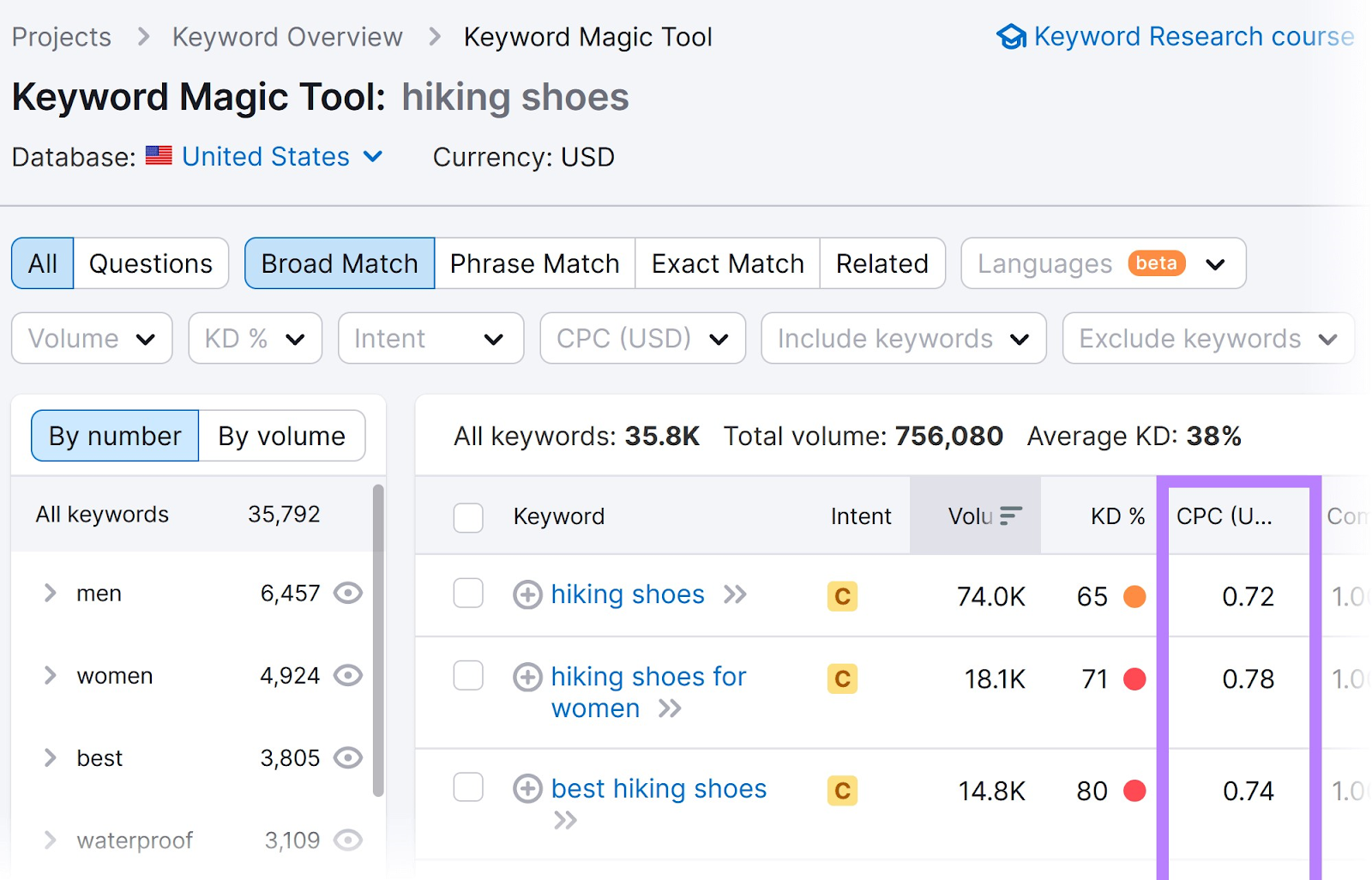
If, on the other hand, you’re conducting keyword research, Keyword Magic Tool will also show each keyword’s average CPC in the “CPC” column.
Like so:
Google Keyword Planner
Google Keyword Planner is a free keyword research tool for search campaigns.
It tracks and collects data directly from Google Ads. And it’s a great place to find a keyword’s average cost per click.
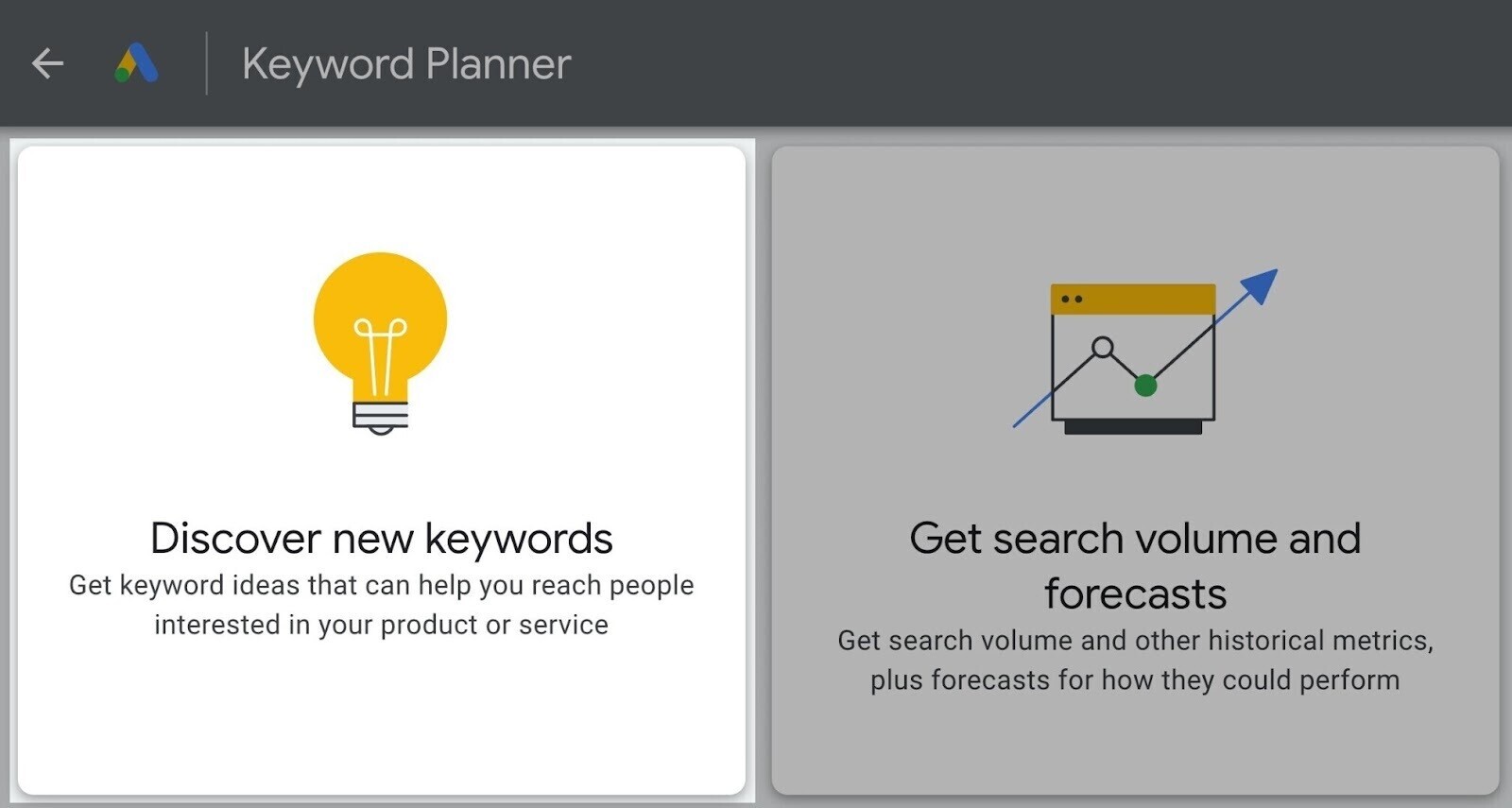
First, open the tool and click “Discover new keywords.”
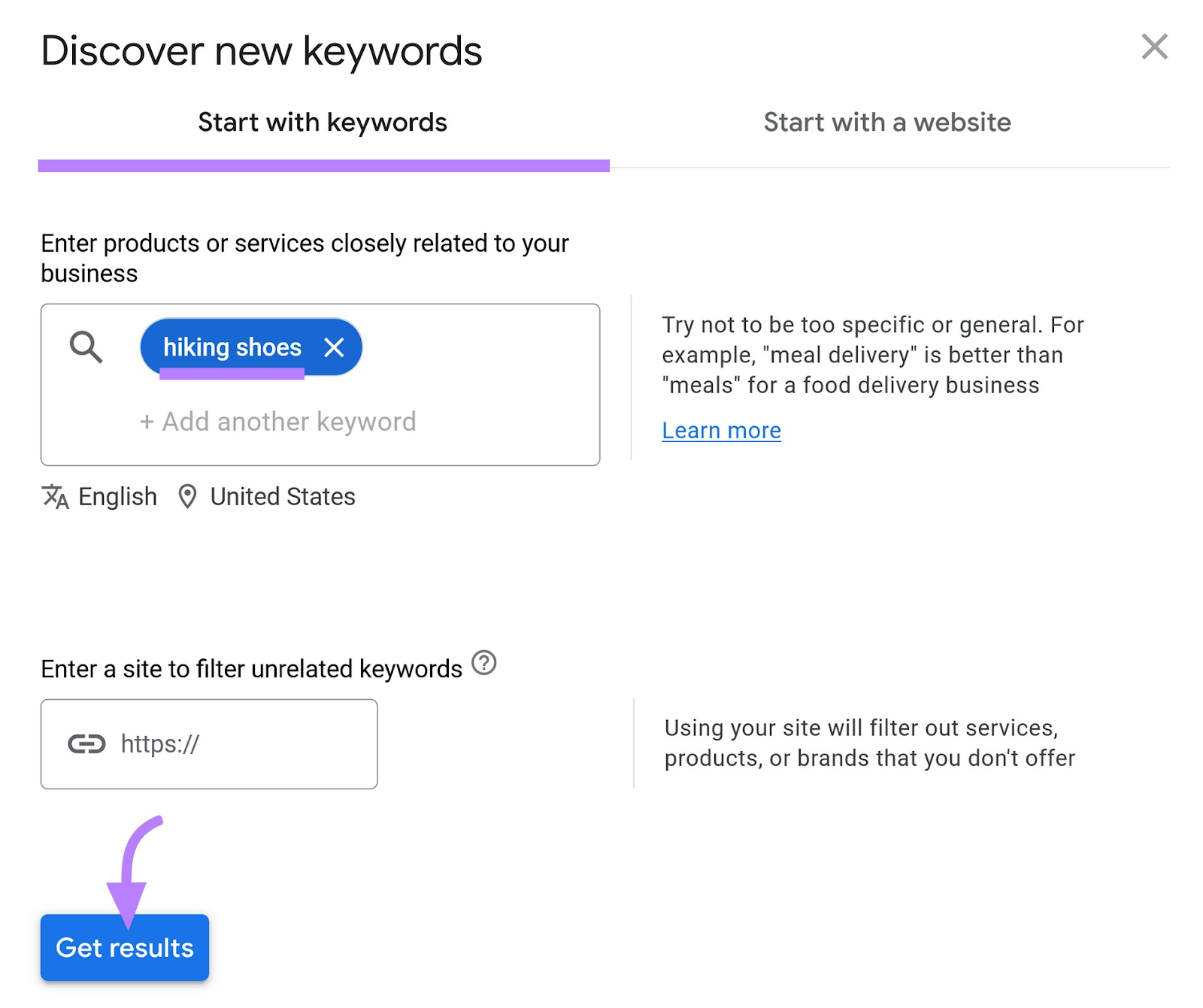
You’ll see a form with two options: “Start with keywords” or “Start with a website.”
Stay on the “Start with keywords” tab, enter the keyword, and click “Get results.”
You’ll see a table with the keyword you provided and a list of related keyword ideas.
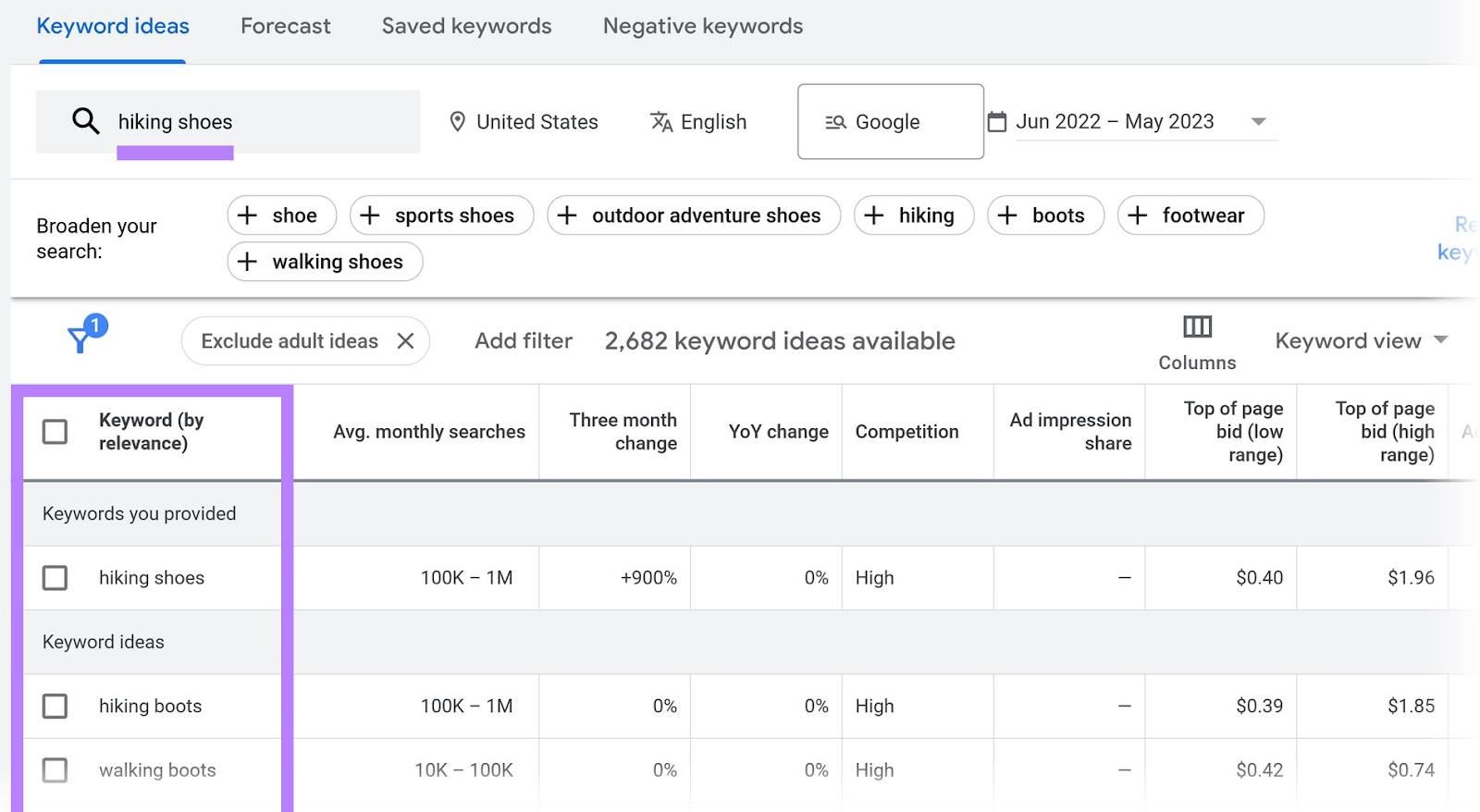
And you’ll find each keyword’s CPC under two columns on the table’s right-hand side.
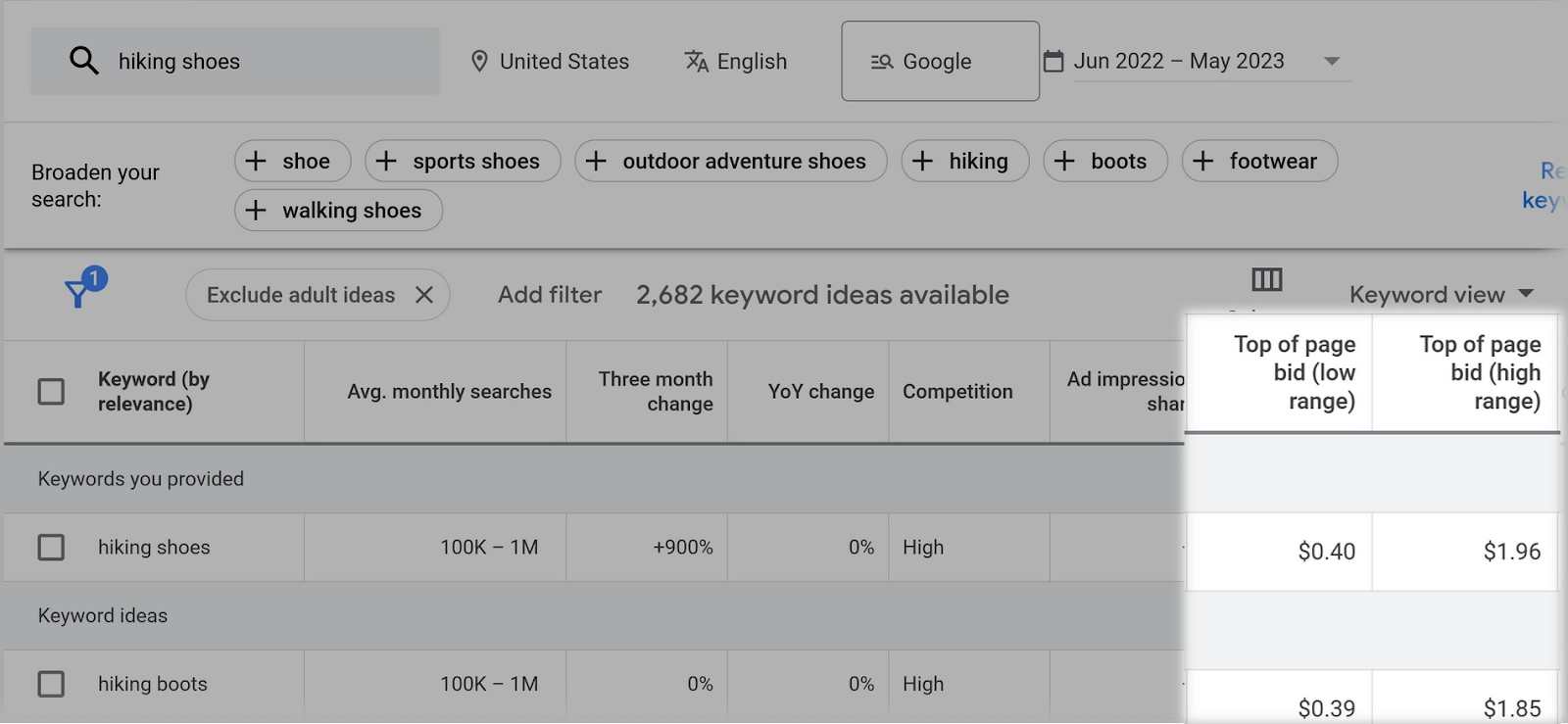
Here’s what each column means:
- Top of page bid (low range): the lowest someone has historically paid to get to the top of the results page
- Top of page bid (high range): the most someone has historically paid to get to the top of the results page
The average CPC for each keyword may vary.
Use the ranges to see how much you’d (roughly) need to bid for your ad to appear at the top of the SERPs.
How to Lower CPC
Here are a few tips to help you lower your cost per click and make the most of your campaigns.
1. Improve Your Quality Score
Google’s Quality Score is a metric of how well your ad compares with other advertisers.
It’s measured at the keyword level on a scale from 1-10. And looks at three components from historical data:
- Expected CTR: The likelihood that someone will click on your ad
- Relevance: How closely your ad matches a user’s search intent
- Landing page experience: How relevant your landing page is to users who click through
Further reading: A Guide to Quality Score: What It Is & How to Improve It
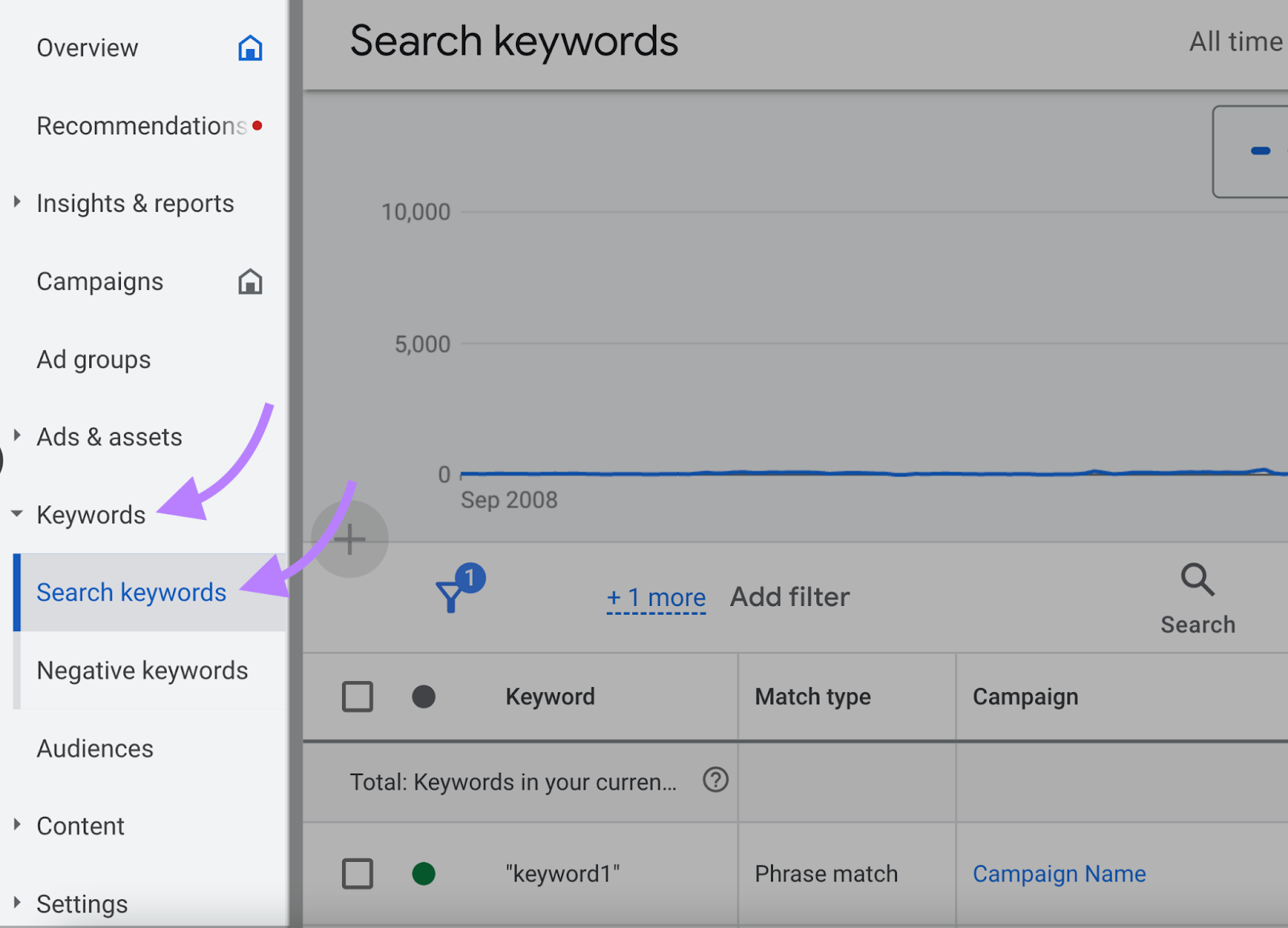
To find your Quality Score, open your Google Ads account. Click the “Keywords” drop-down in Google Ads, and then “Search keywords.”
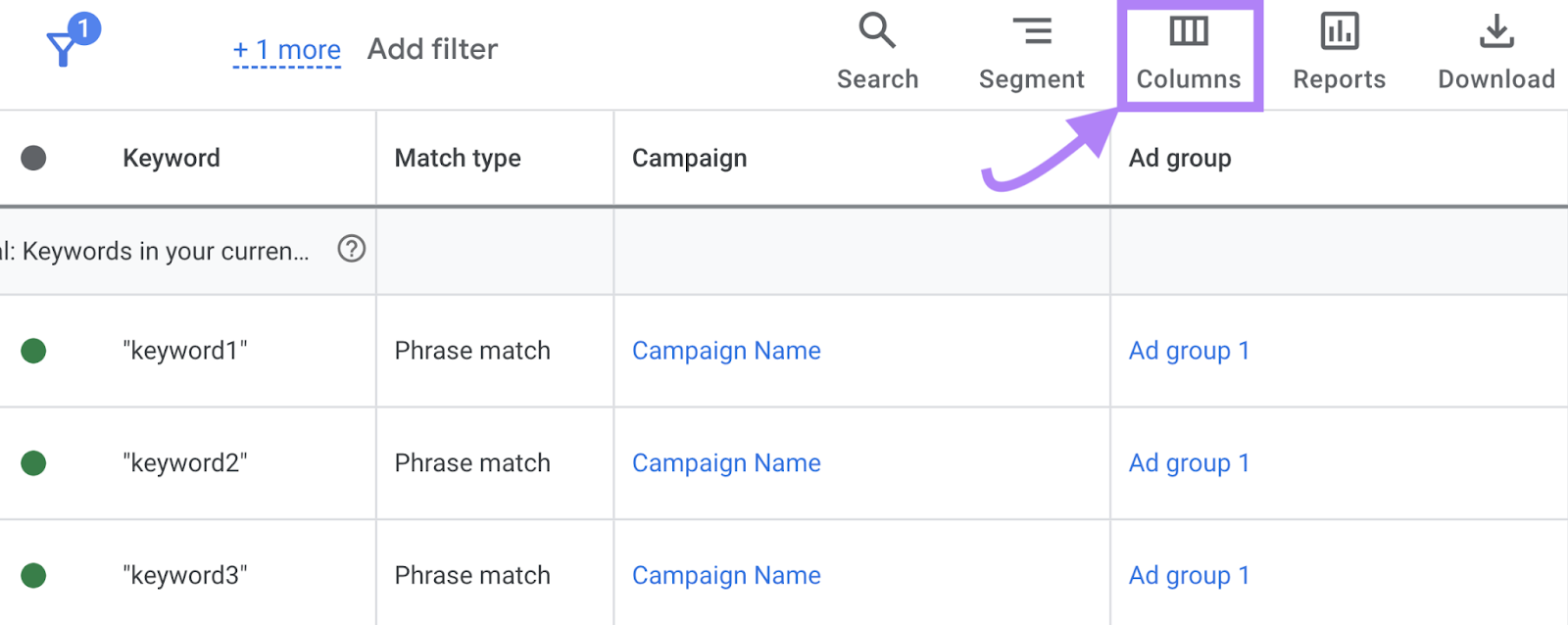
Then, click the “Columns” icon.
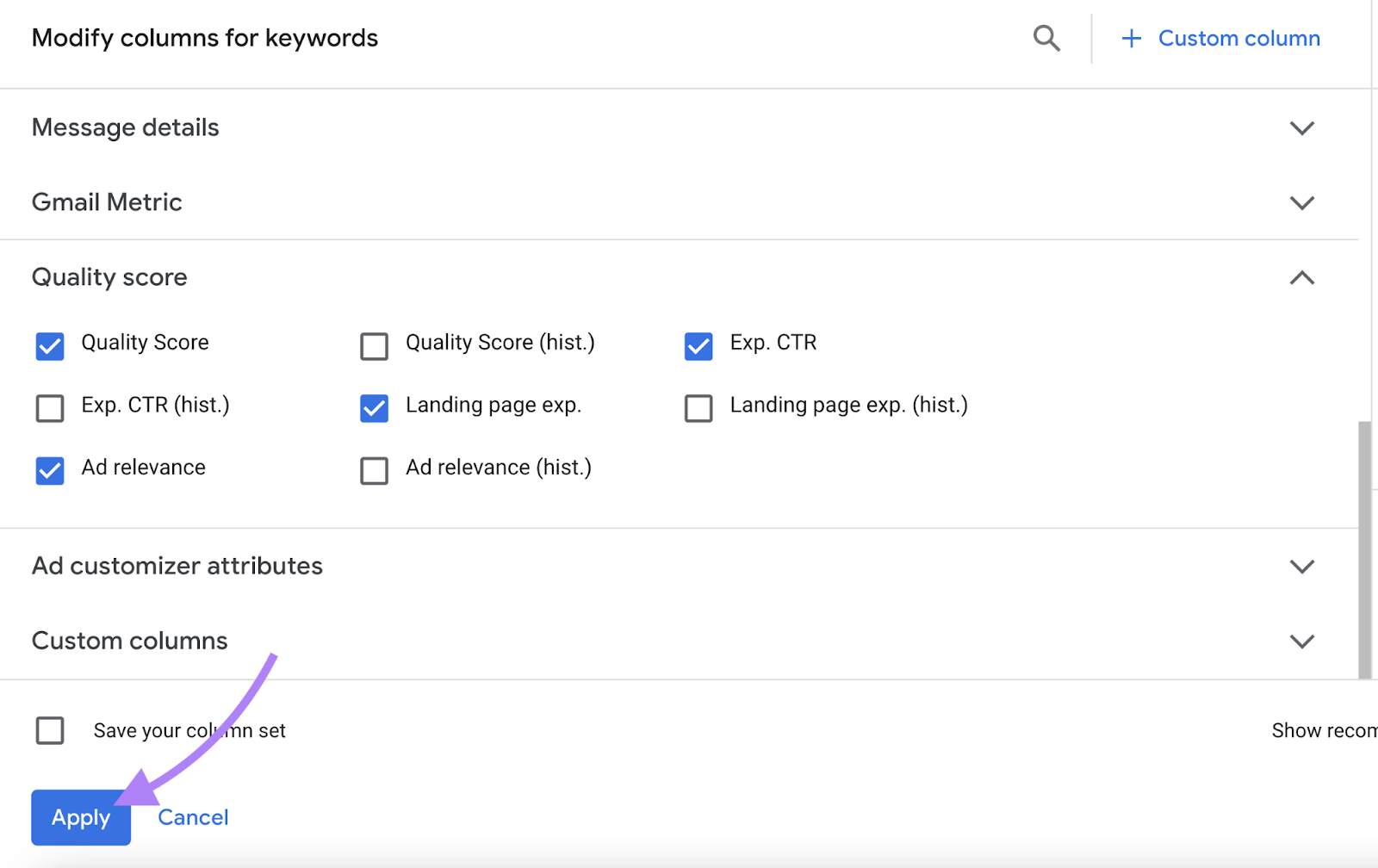
Open the “Quality score” section under “Modify columns for keywords.”
Select “Quality Score,” “Landing page exp.,” “Exp. CTR,” and “Ad relevance.”
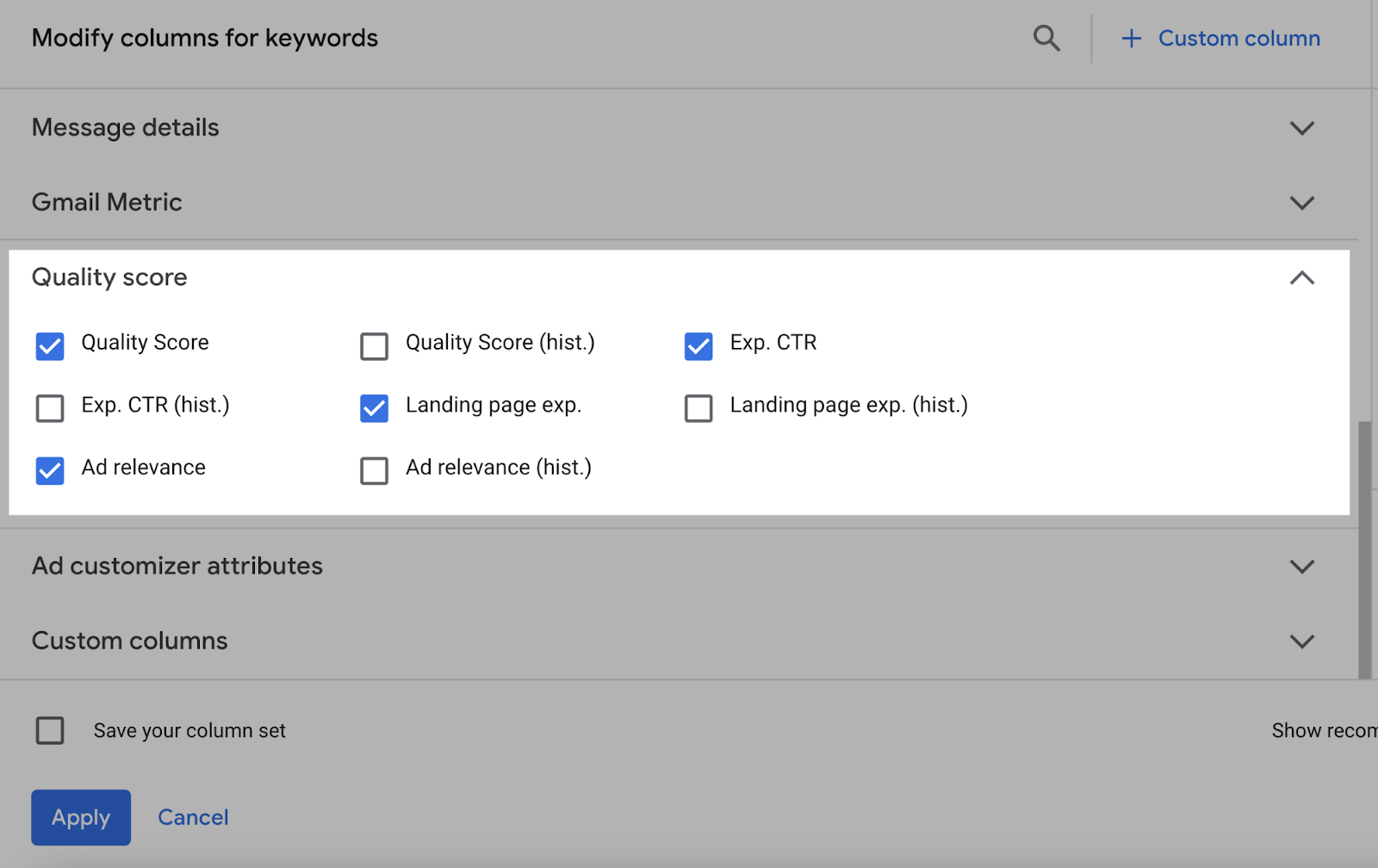
And click “Apply.”
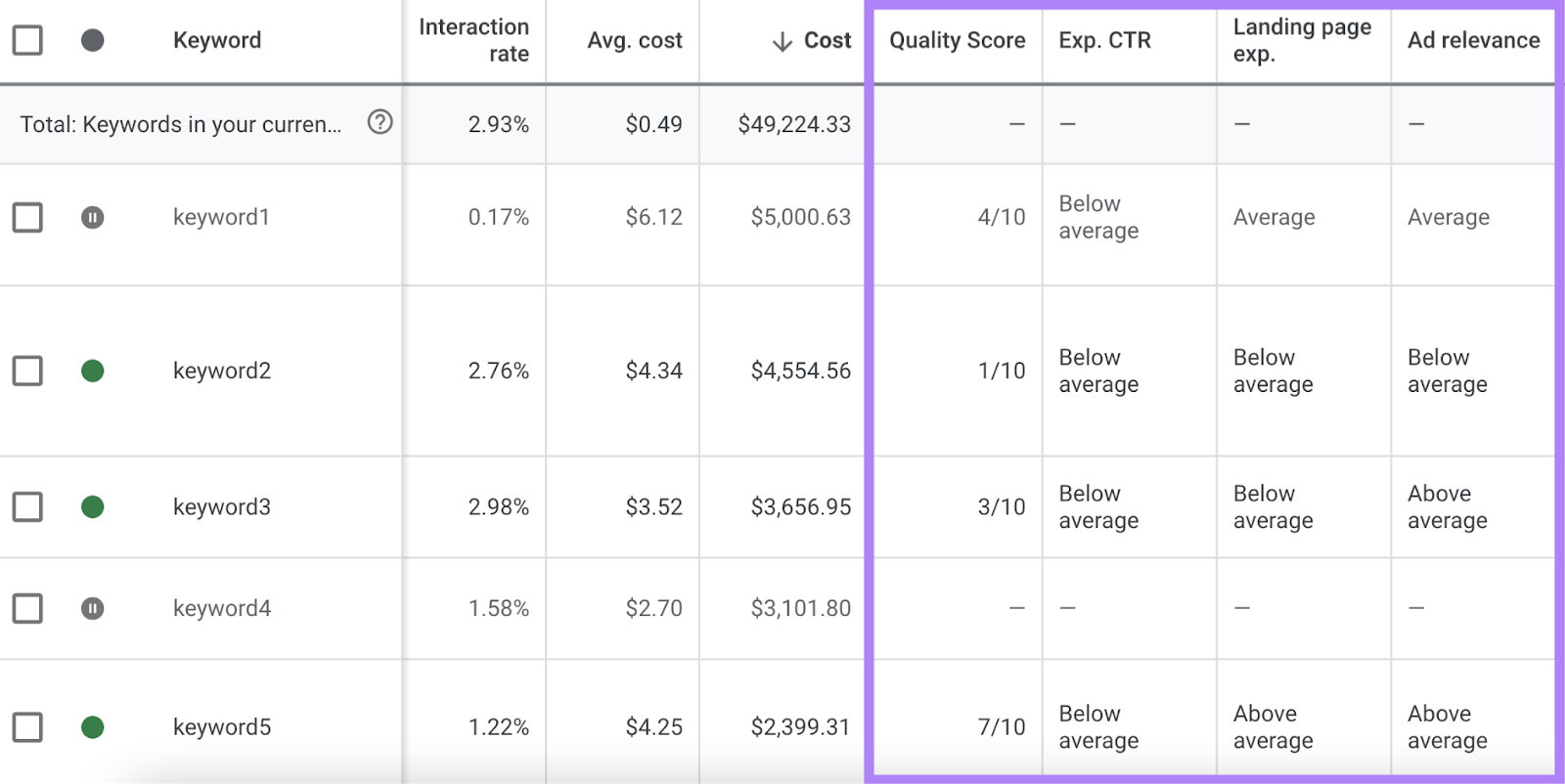
Now you’ll see columns for “Quality Score” and the other elements to help you understand exactly what you need to fix.
Now, let’s look at how to improve your Quality Score.
Make Your Ads More Relevant
The more relevant your ad, the more its chances of landing in front of people interested in seeing it. And the more probable that they’ll click on it.
One way to make your ads more relevant is to avoid broad ad groups that cover multiple keyword groupings.
Focus on creating several highly targeted ad groups.
For example, instead of having one ad group that targets “running shoes,” split it up. Have ad groups for:
- “Waterproof running shoes”
- “Running shoes for active women”
- “Running shoes with wide toe boxes”
Each of those ad groups should target even more specific keywords.
The “waterproof running shoes” ad group could target keywords such as “waterproof running shoes for winter” and “waterproof running shoes wide fit.”
You’ll probably create more ad groups (and more ads) this way.
But the trade-off is that your ads will be more relevant to the keywords you're bidding on—which can help raise your Quality Score.
Optimize Your Landing Page
The quality of your landing pages can have a big impact on your effectiveness and budget.
Here are a few landing page best practices that can improve your Quality Score:
- Be relevant. Visitors who click on your ad should be directed to a page related to what they searched for. If the page isn’t relevant, the user will likely leave.
- Write clear copy. Know how to write copy that clearly explains the purpose of your page.
- Keep it simple. Don’t force users to click multiple links to find what they’re looking for.
- Provide a good user experience. Keep your landing page accessible and consistent with your ad copy.
Increase Your CTR
Click-through rate (CTR) measures the percentage of people who click on your ad after seeing it.
A high CTR indicates that your ad is effective and appealing to your audience. Which helps improve your Quality Score on ad platforms like Google Ads.
Here are a few tips to improve your CTR:
- Use assets (previously Google Ads extensions) to include additional information like call buttons, location information, and links to specific parts of your site within your ad
- Use a CTA like “buy,” “order,” or “sign up” to entice users to click
- Make ad text compelling by highlighting perks like free shipping or exclusive deals
- Match user intent by writing copy that addresses the search query you’re targeting
Further reading: 8 Google Ads Best Practices to Maximize Return on Ad Spend
2. Find and Bid on Long-Tail Keywords
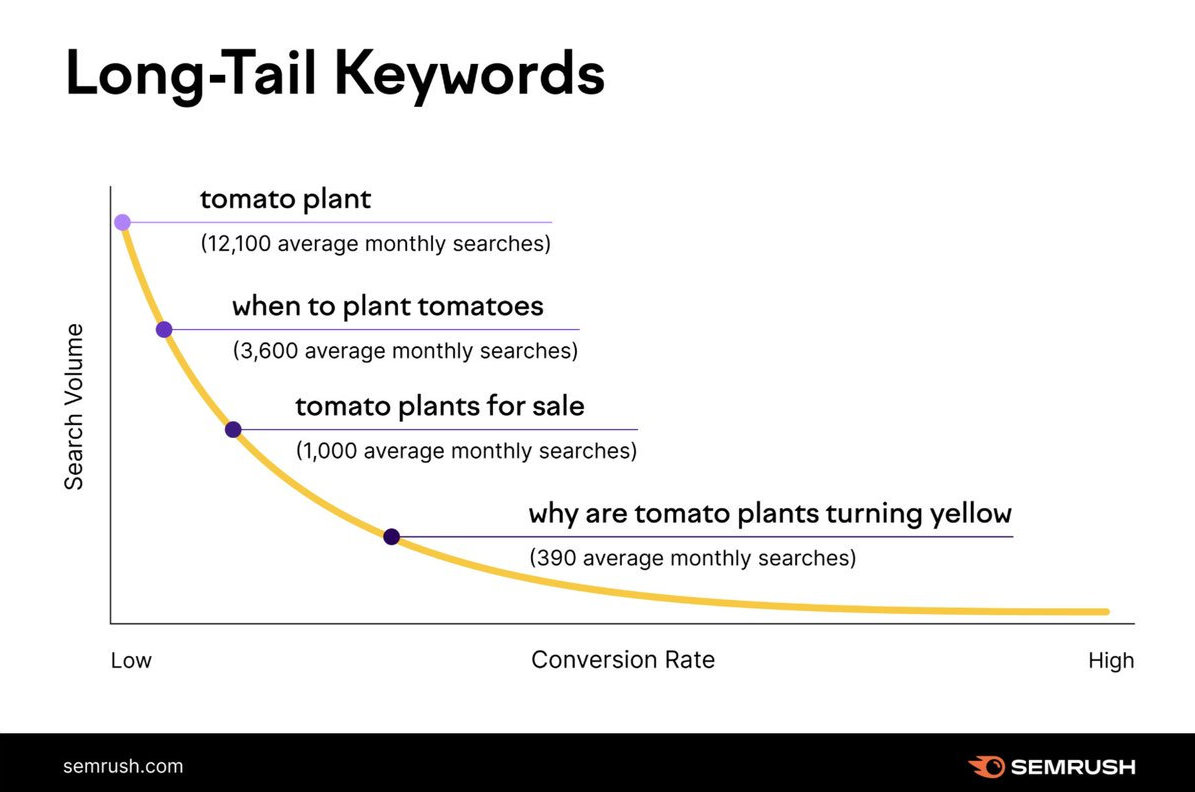
Long-tail keywords are highly specific search queries. They tend to have relatively lower monthly search volumes than head terms and medium-tail keywords.
But they’re often easier to rank for, less expensive, and great at driving highly targeted traffic.
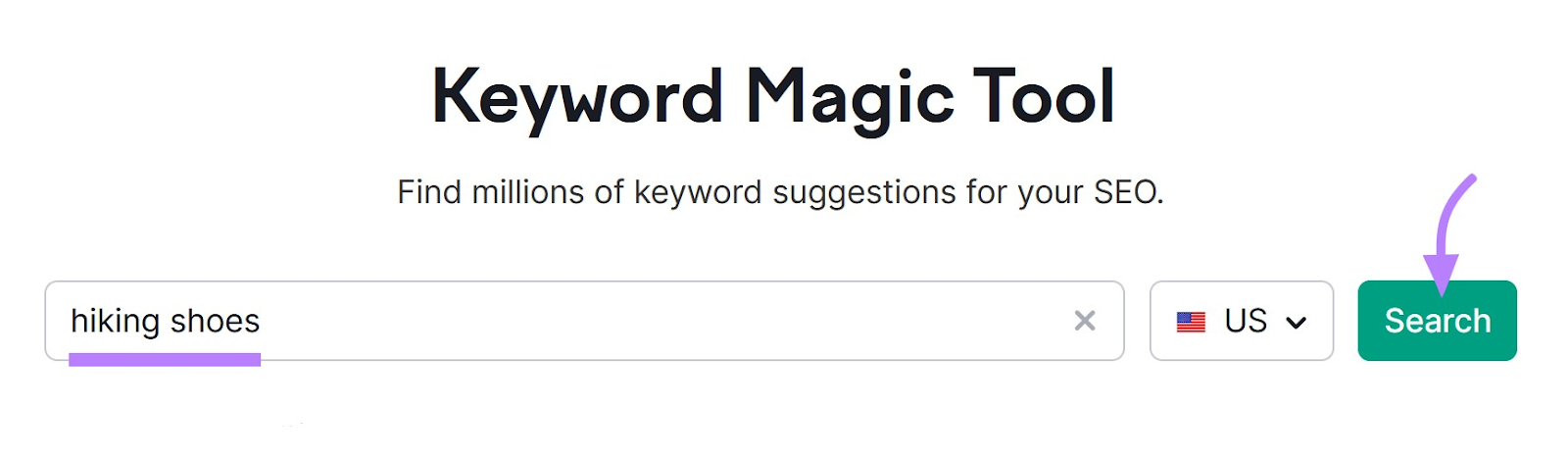
To find long-tail keywords, use the Keyword Magic Tool.
Enter the keyword you want to target and click “Search.”
Then, click “Advanced filters” and set “Word count” to two or three. And click “Apply.”
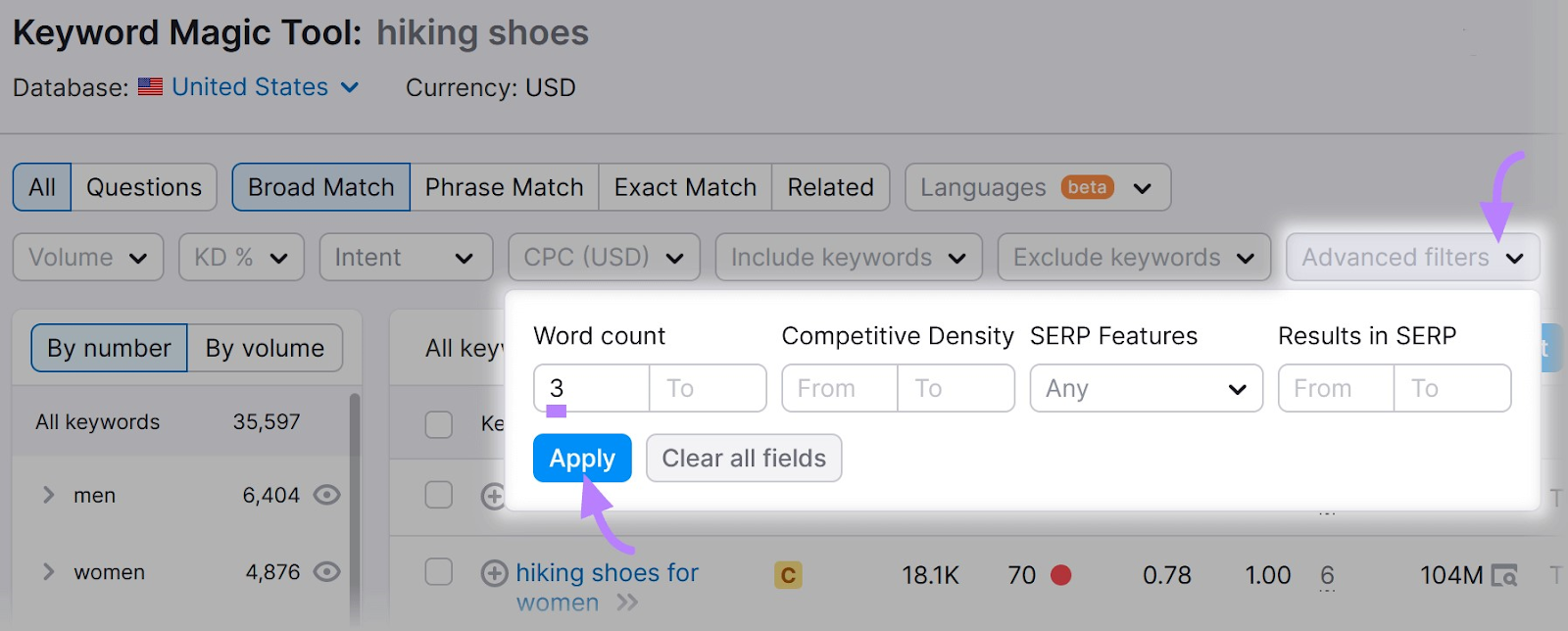
That should pull up some long-tail keywords related to your target keyword.
Like this:
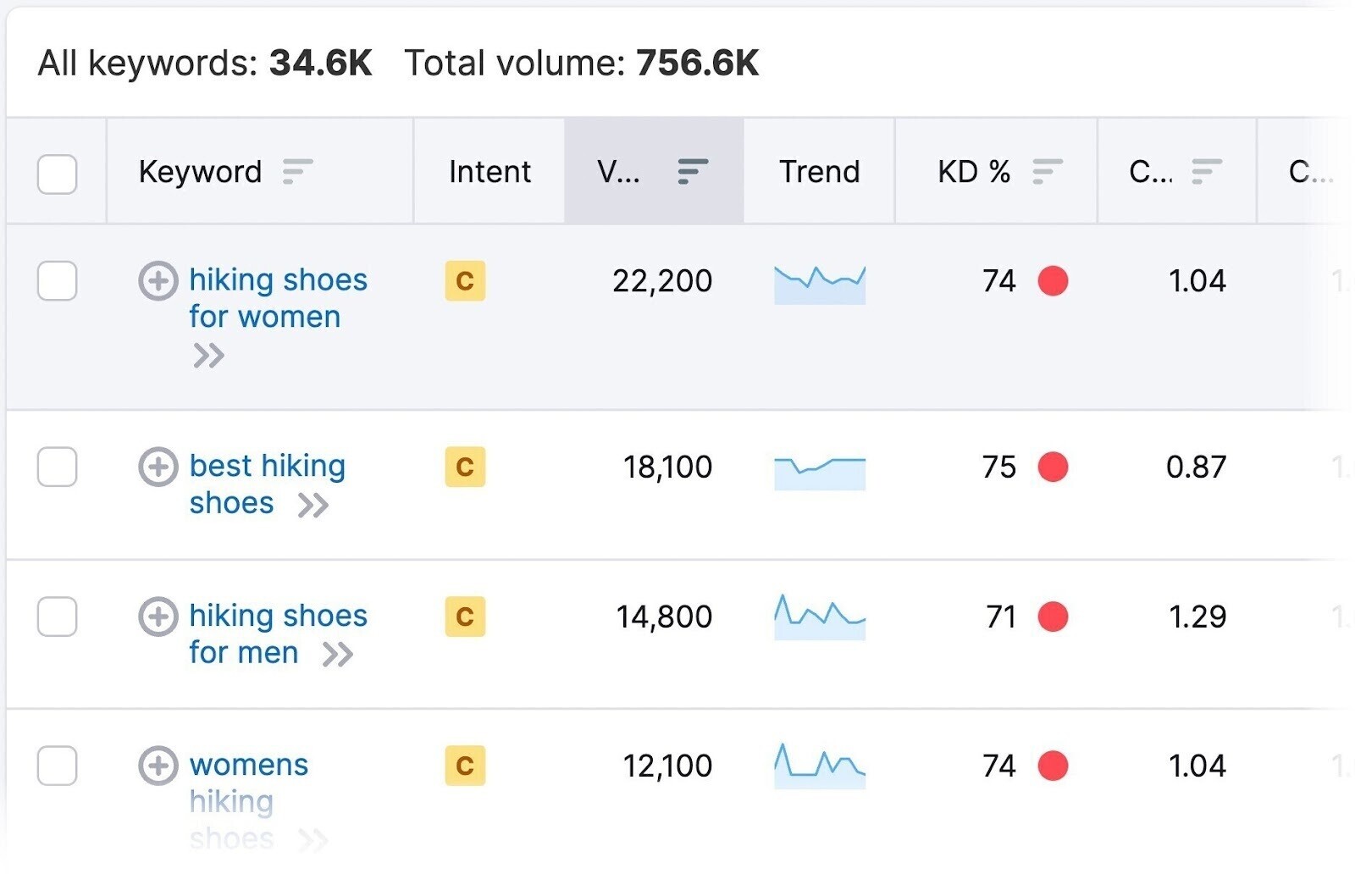
Add multiple long-tail keywords to relevant ad groups to see potentially significant increases in ad relevance (and lower CPC).
3. Set Up a Negative Keywords List
Negative keywords are terms you exclude from search campaigns to prevent your ads from showing up when people search for them.
Implementing negative keywords can significantly reduce costs. You won’t be wasting your budget on irrelevant terms.
To find negative keywords, check your Google Ads Search Terms report.
Head to Google Ads and click “Insights and reports” > “Search terms.”
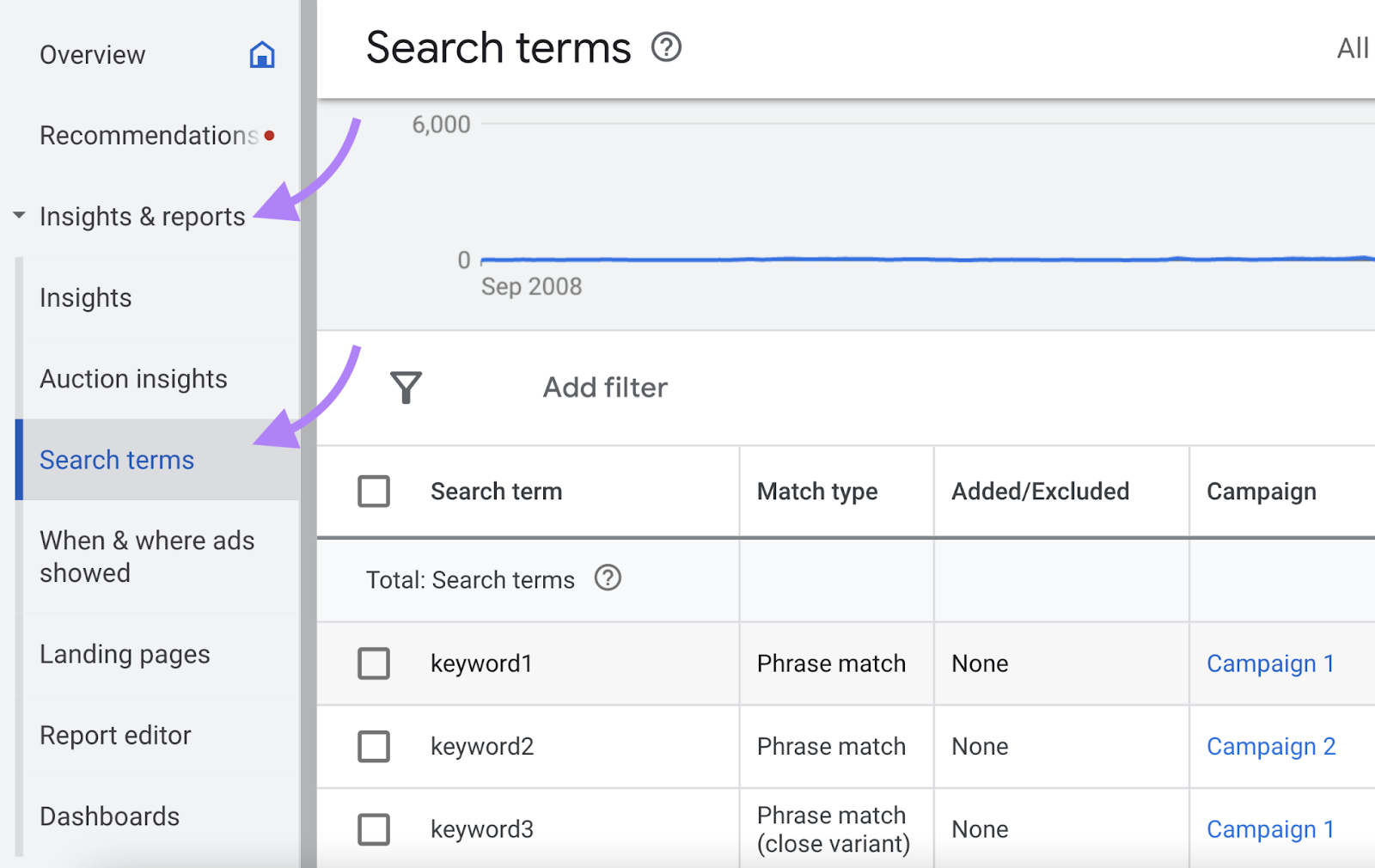
You’ll see a list of keywords that trigger your ads.
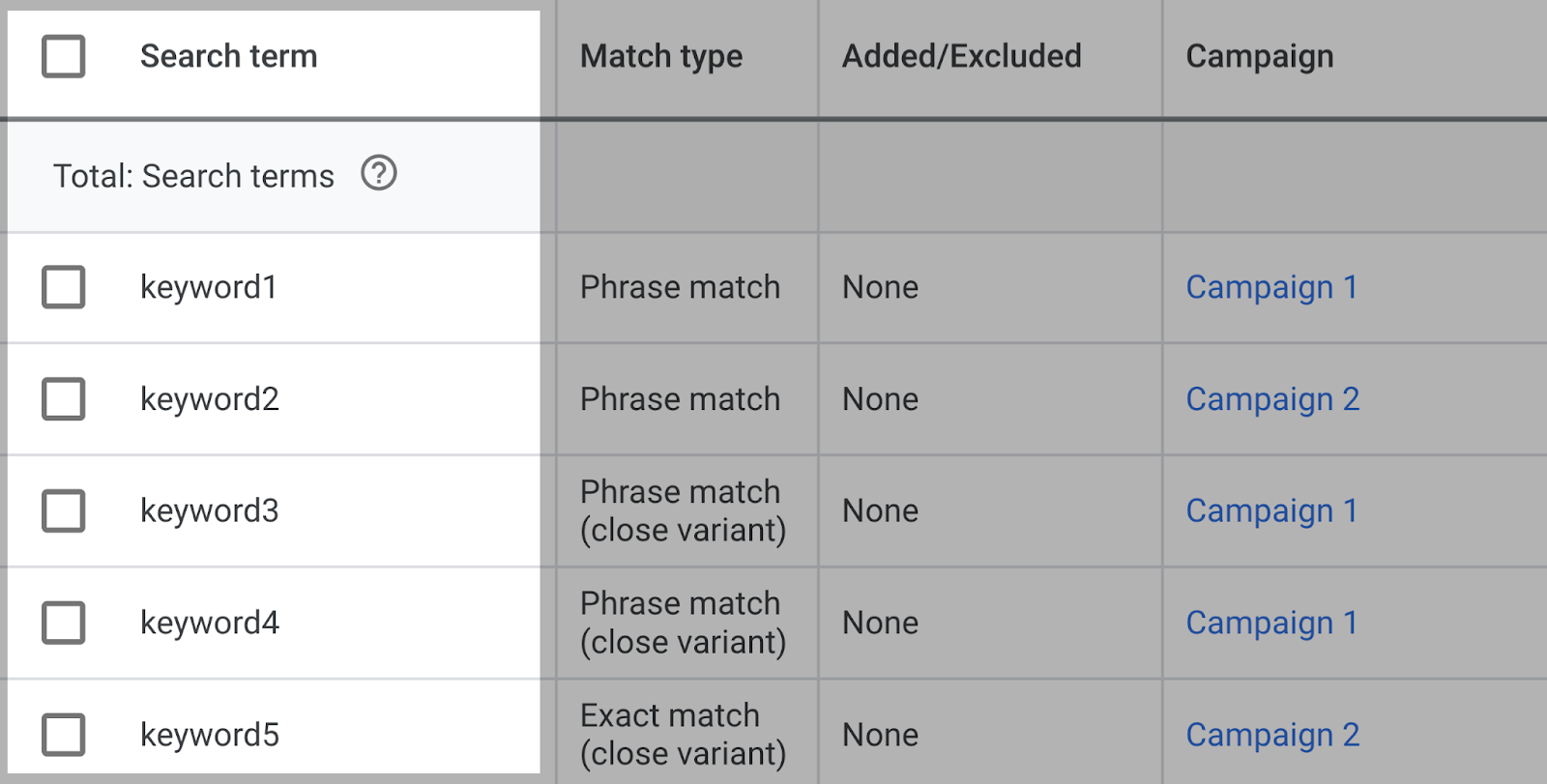
Scroll through to find terms people search for that aren’t relevant to your campaign.
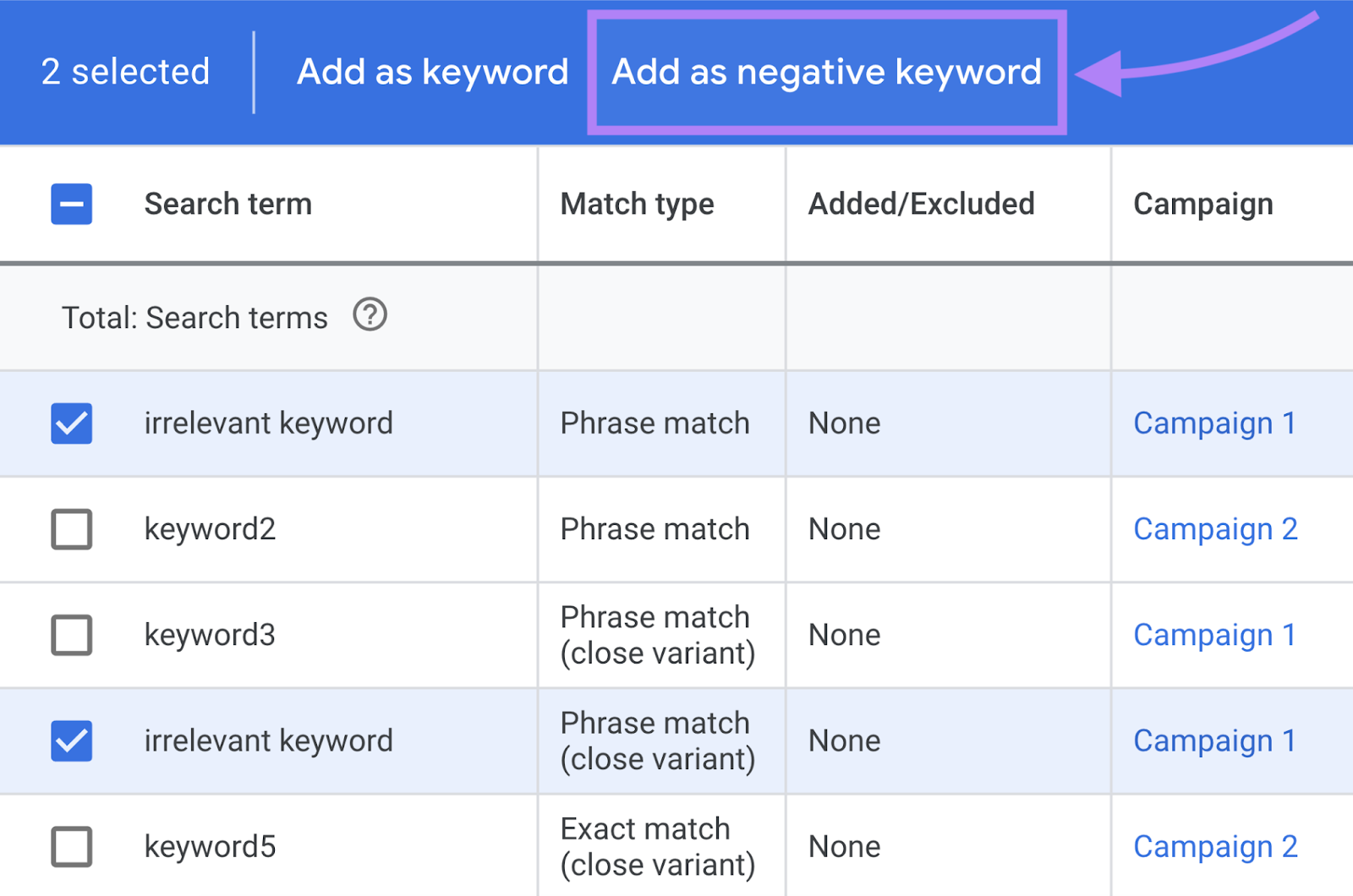
Check the box next to the keywords you’d like to add as negative keywords, and click “Add as negative keyword.”
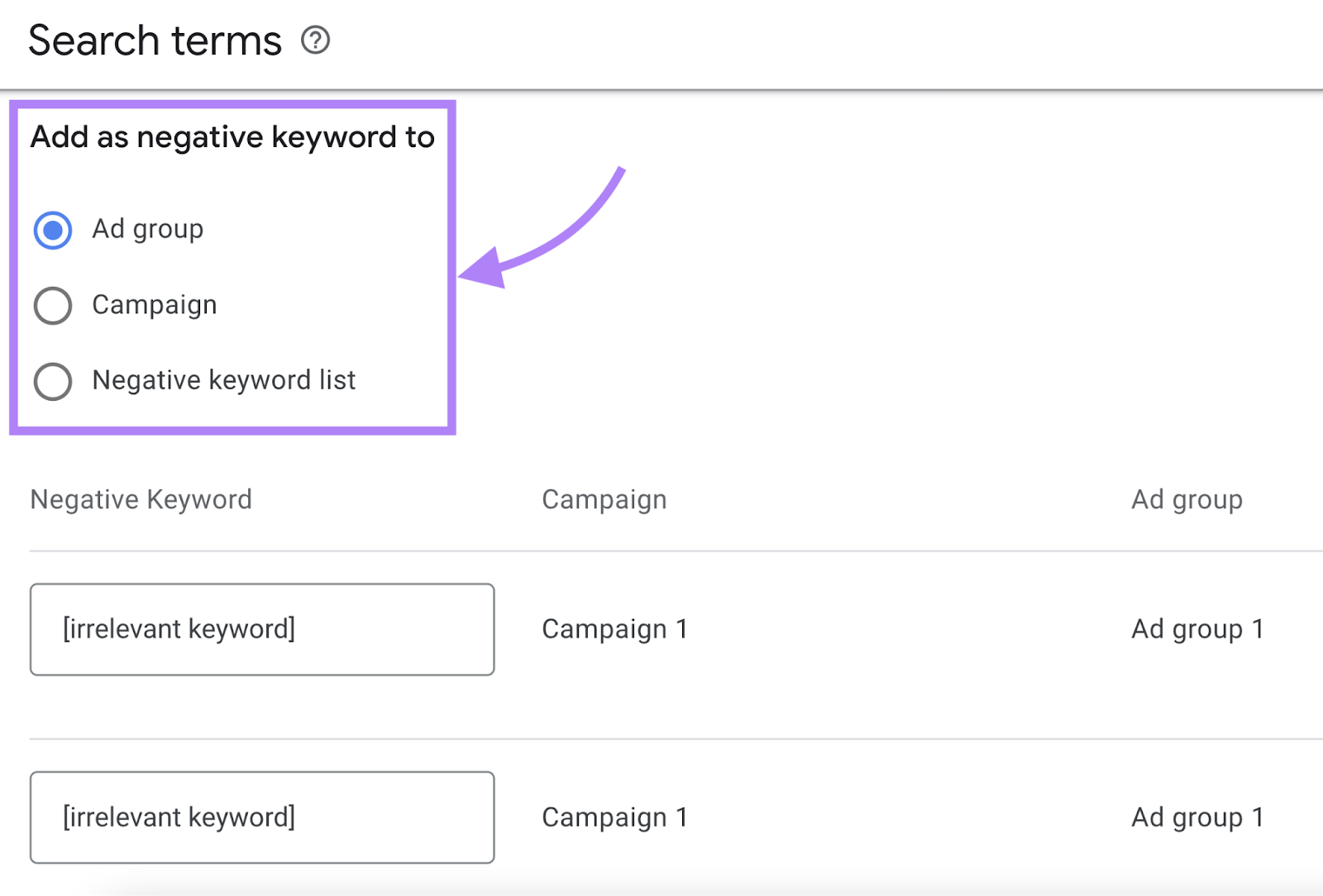
Then, you can choose to add them to an ad group, campaign, or negative keyword list.
Keyword Magic Tool also helps you find negative keywords.
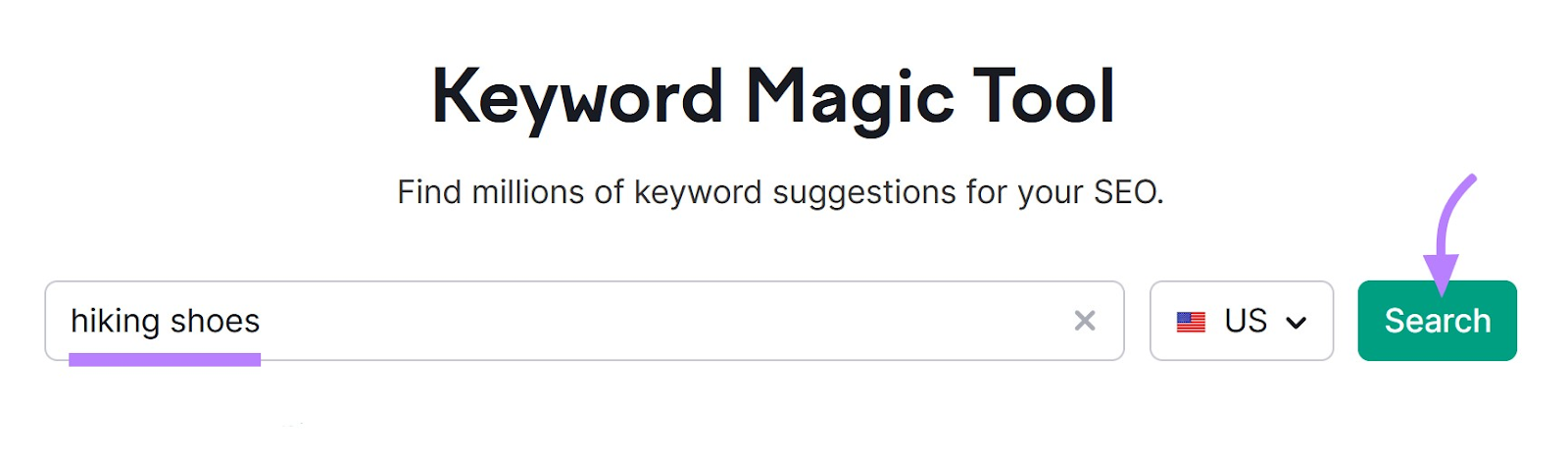
Enter your seed keyword and click “Search.”
You’ll get a list of keyword ideas related to your seed keyword.
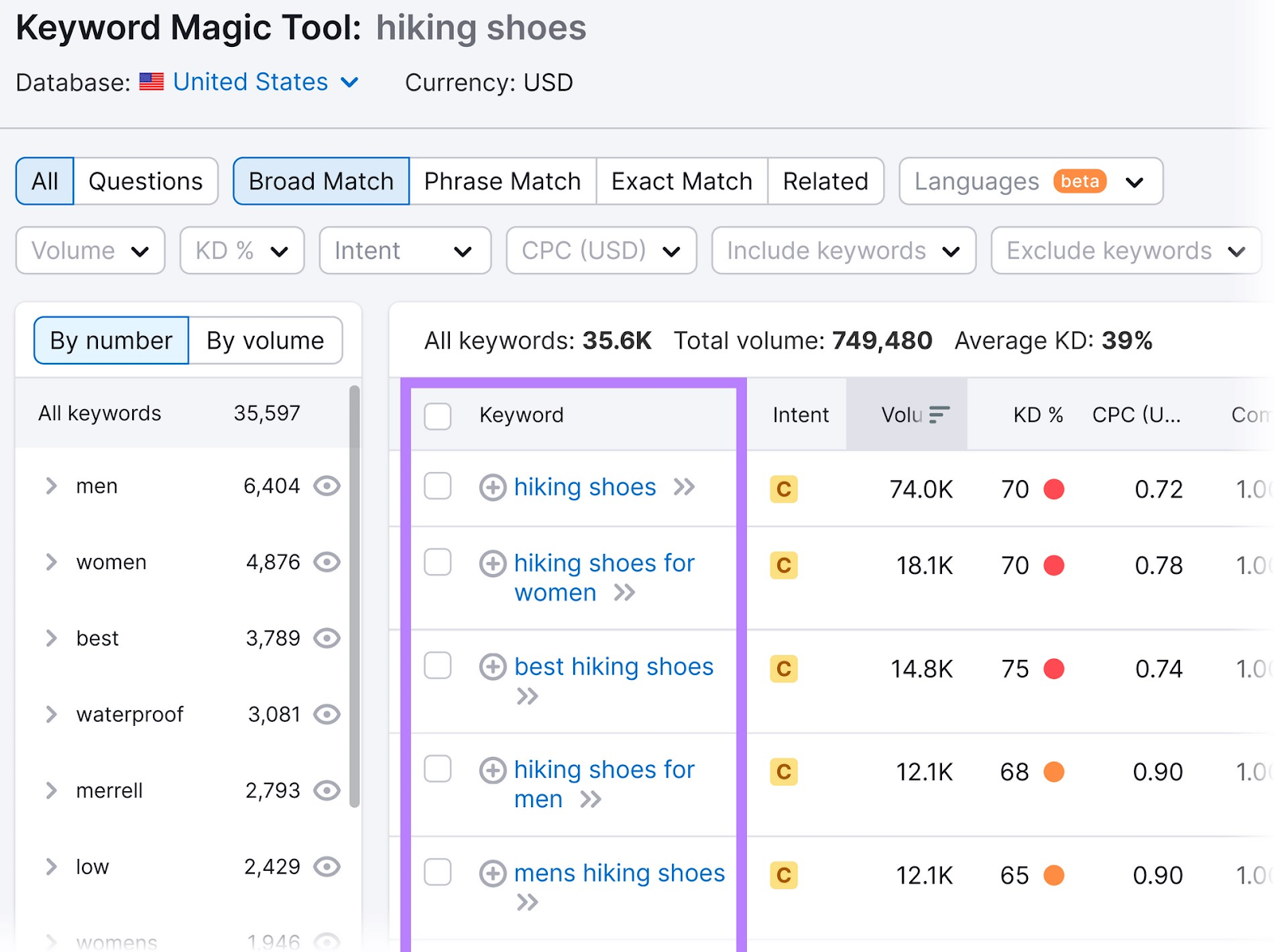
Browse for any irrelevant keywords and add them to your negative keyword list.
4. Try Ad Scheduling
There’s more to bidding than just keywords. By using ad scheduling, you can do two things:
- Show ads at times of the day when customers are most active online
- Adjust your bid during certain times of the day
This tactic will help you maintain and improve your average cost per click while driving higher conversions.
For example, let's say you run a local restaurant that offers delivery services.
You find your ads perform best during lunch and dinner hours when people are more inclined to order food.
Scheduling your ads to run primarily during these peak hours—and adjusting your bids accordingly—can maximize your budget. And attract more customers when they're most likely to convert.
To see which days and times are getting the best results, consult your “Day & time” performance on the “Ad schedule” page of Google Ads.
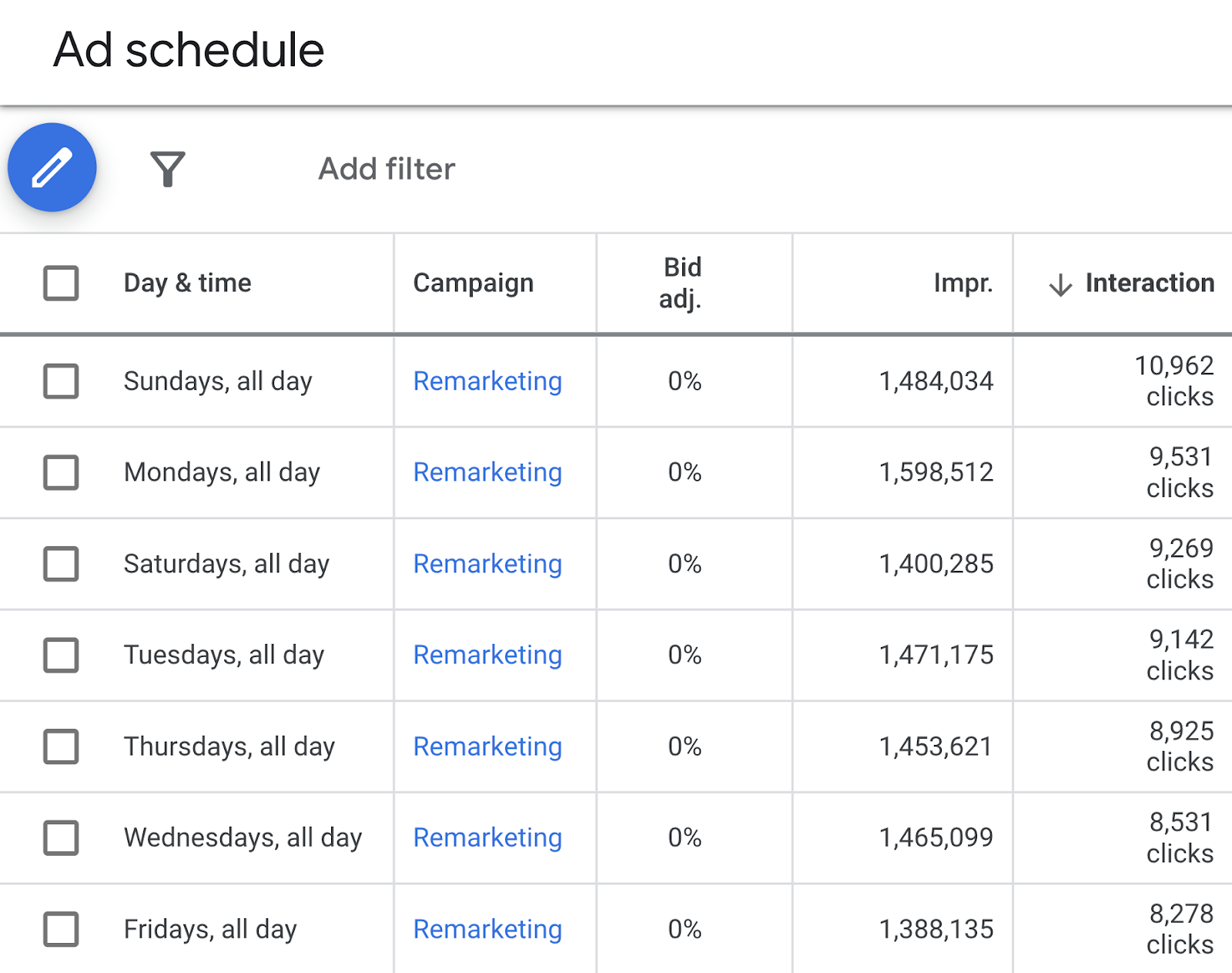
And schedule your ads accordingly.
To do that, click “Show more.” Followed by “Ad schedule.”
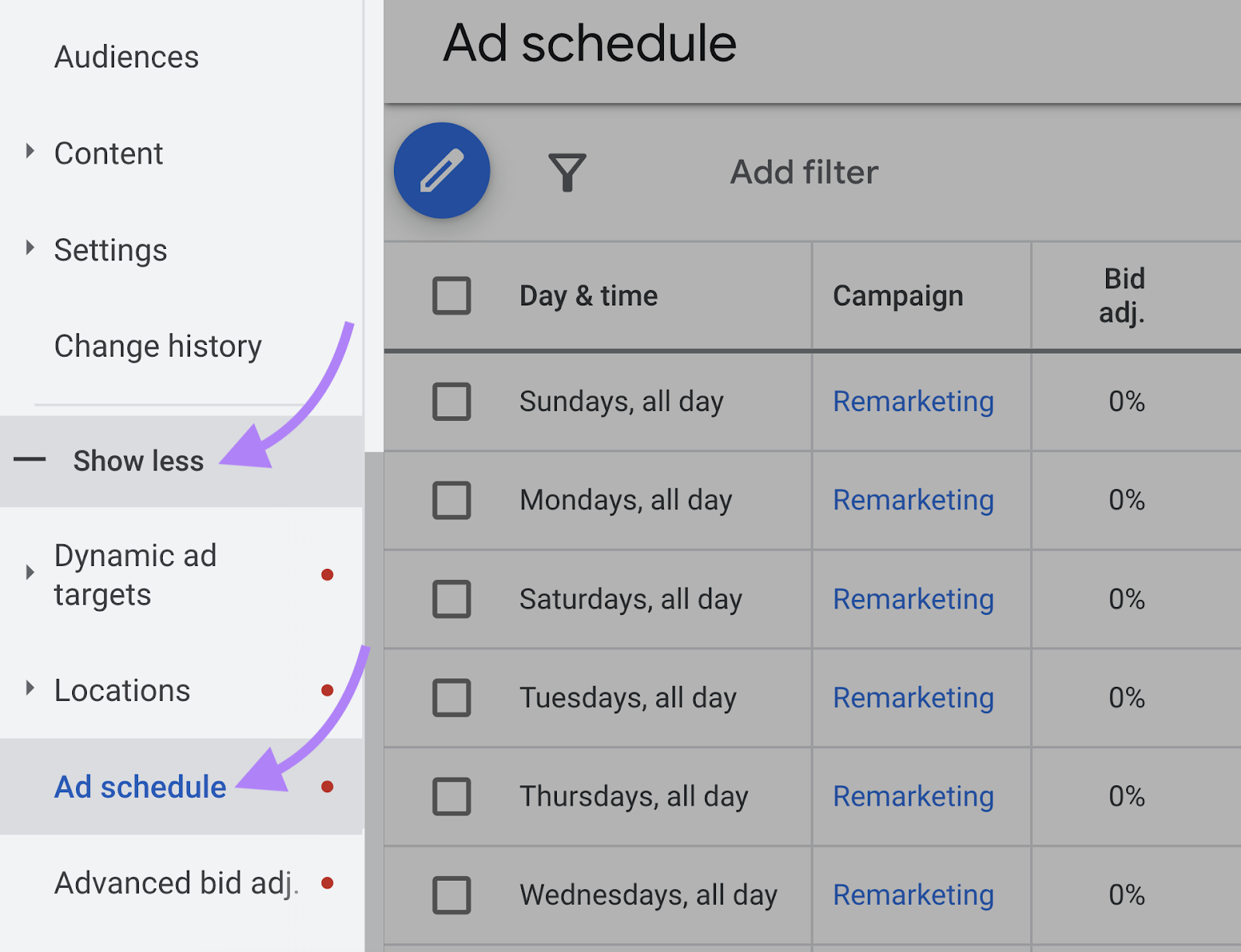
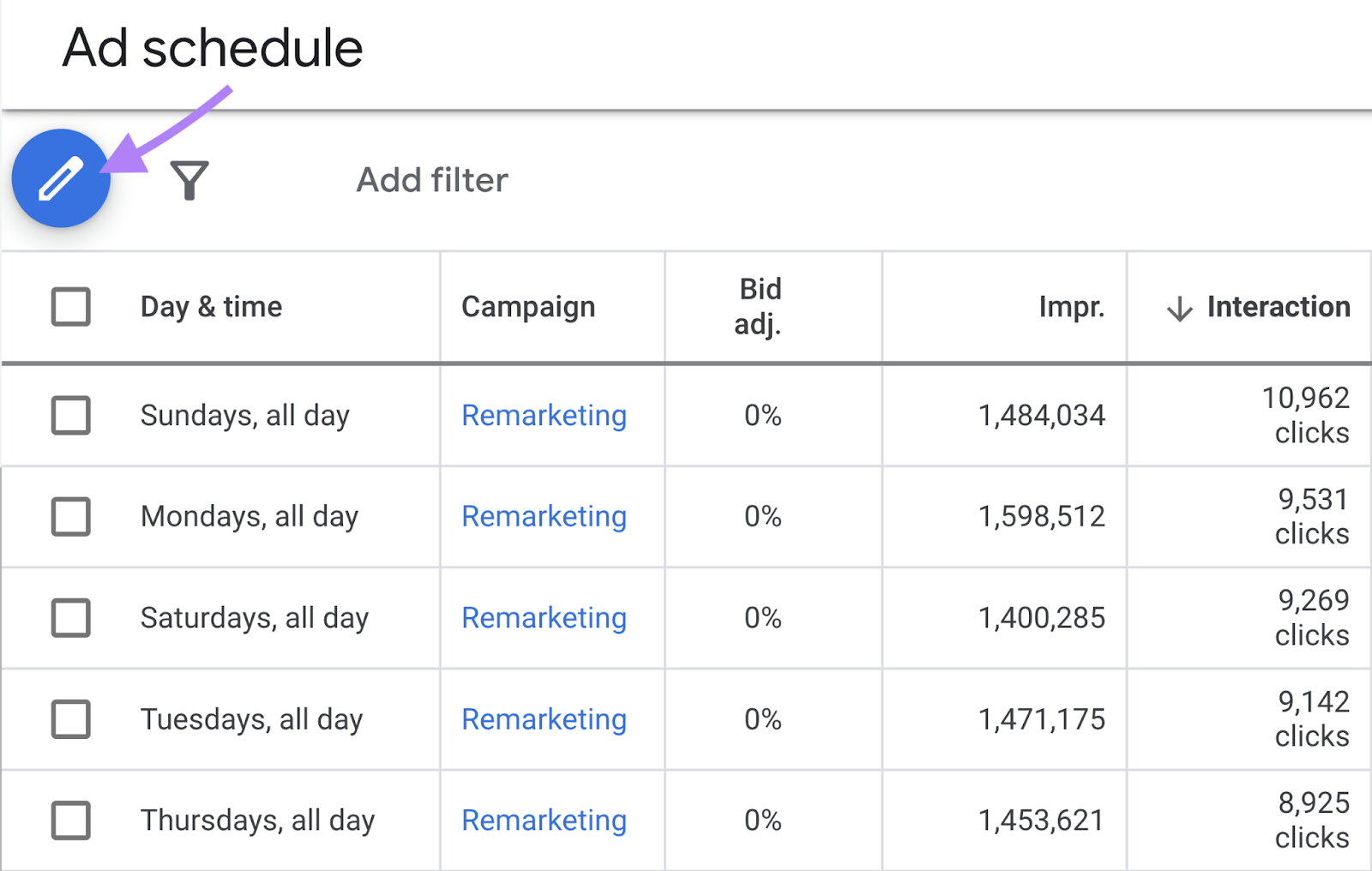
Then, click the pencil icon and select the campaign to create an ad schedule for.
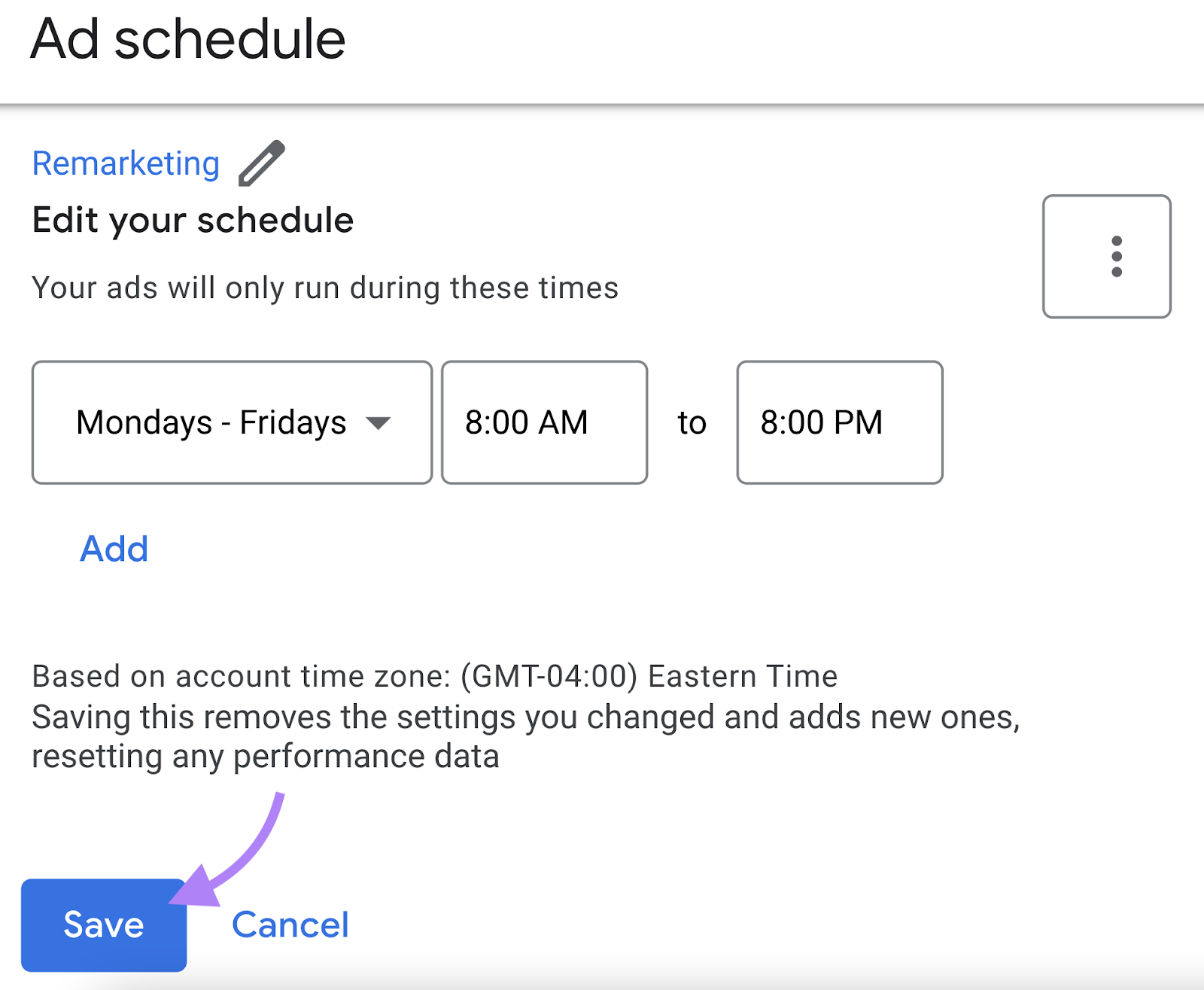
Choose your specific days and times. And click “Save.”
5. Apply Geotargeting
Geotargeting allows you to target specific countries, areas within a country, a radius around a location, or location groups (such as places of interest or your business locations).
You can apply bid adjustments based on the searcher's location. Maximizing ad visibility where it makes the most sense for your business.
For instance, if you run a local service business (like a plumbing company), you might want to target only the specific cities or regions where you operate.
This way, your ads appear to potential customers within your service area. You avoid wasting your budget on clicks from people who are too far away to use your services.
On the other hand, if you have an e-commerce store that ships products nationwide you might find that certain states or regions have a higher conversion rate than others.
In this case, you could use geotargeting to increase your bids for the most profitable locations. While reducing your bids or excluding locations with a lower conversion rate.
To set up location targeting, click “Show more” > “Locations” in Google Ads.
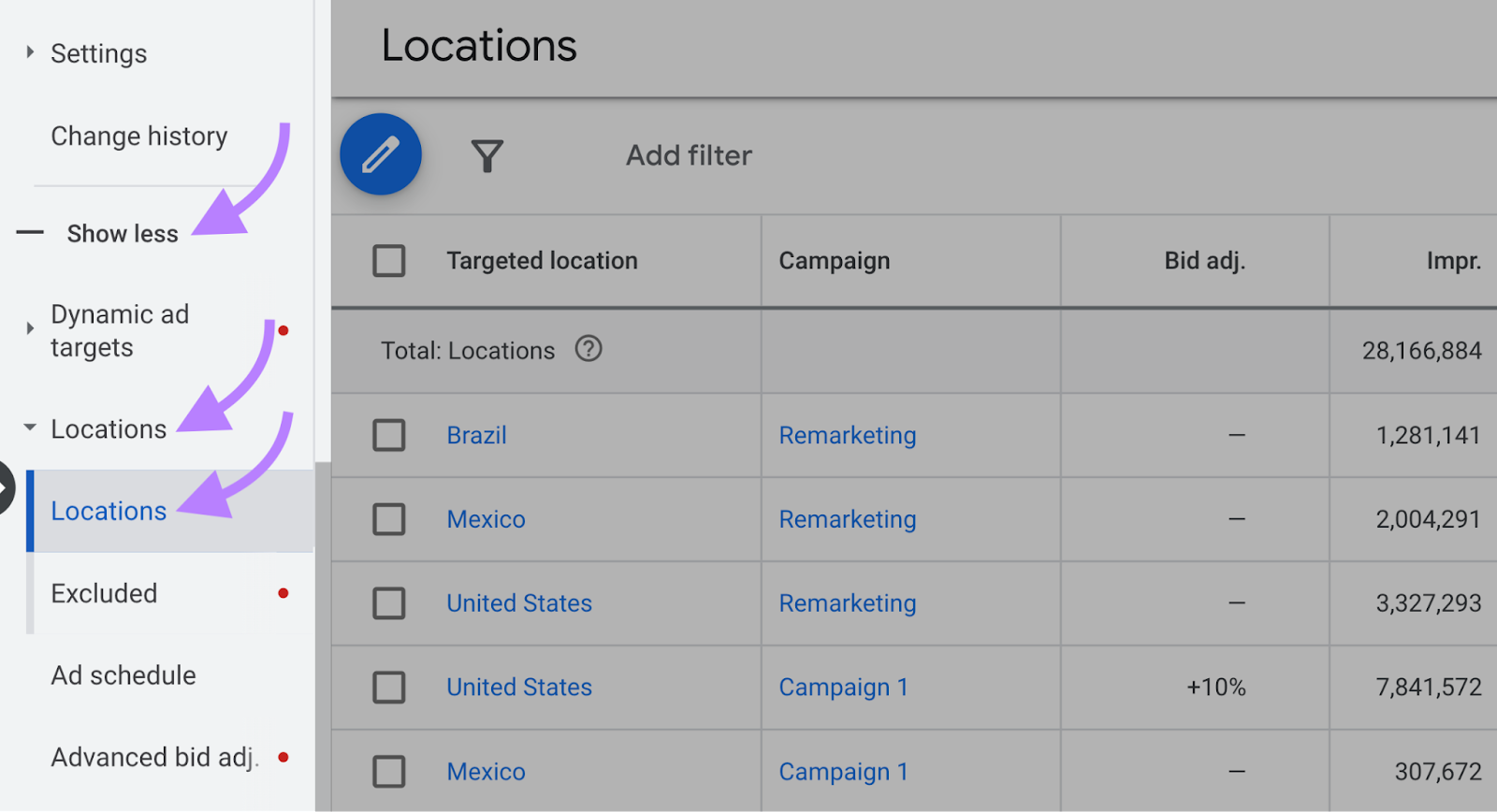
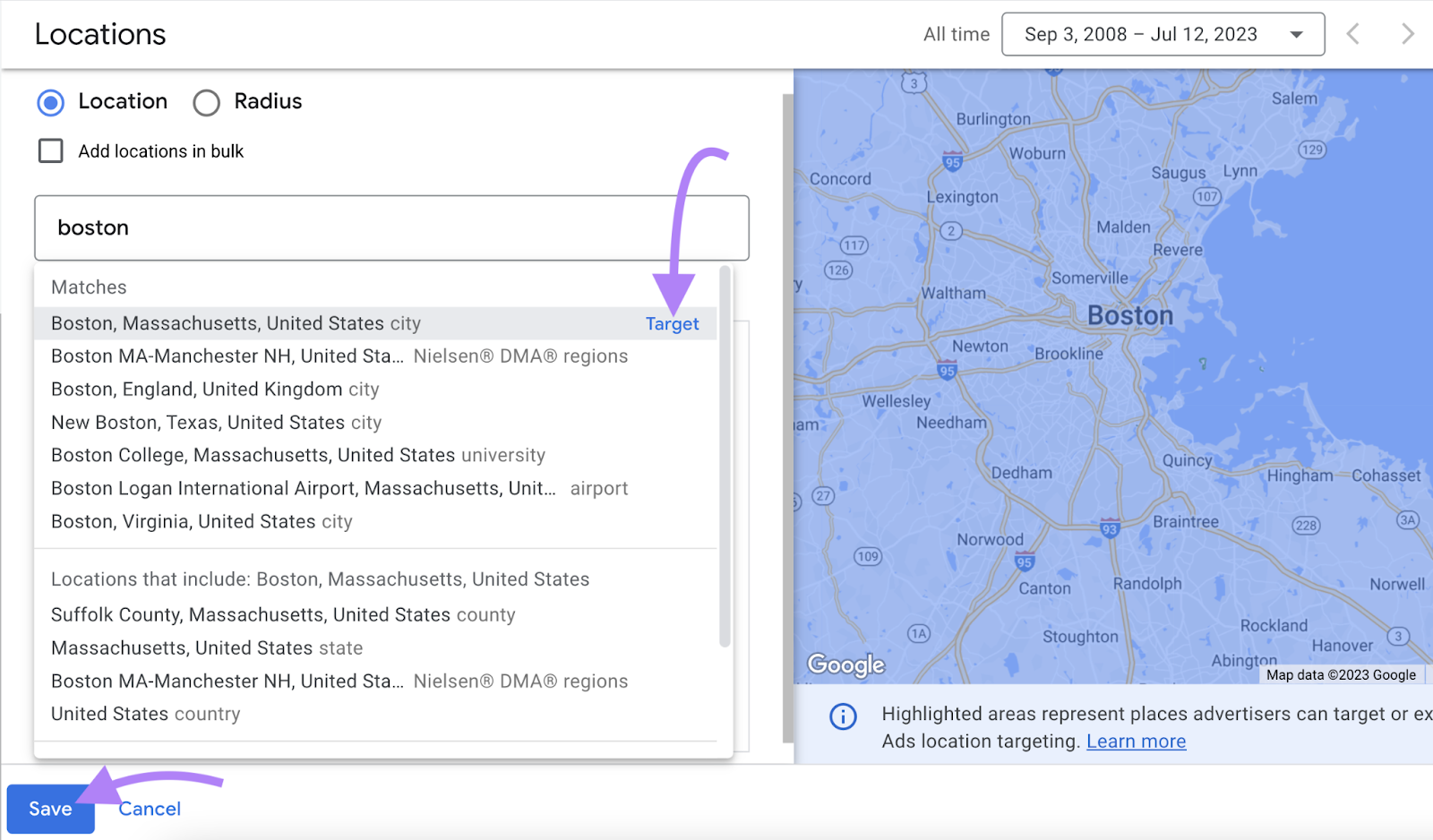
Then, click the blue “pencil” icon and enter the name of the location you’d like to target. Hit “Save.”
6. Test Different Keyword Match Types
Keyword match types control how closely the keyword needs to match the searcher’s query for the auction to consider and trigger your ad.
Here are three match types:
- Broad match: Ads can show for searches related to your keyword
- Phrase match: Ads appear in searches that include the meaning of your keyword
- Exact match: Ads display when searches have the same meaning or intent as your keyword
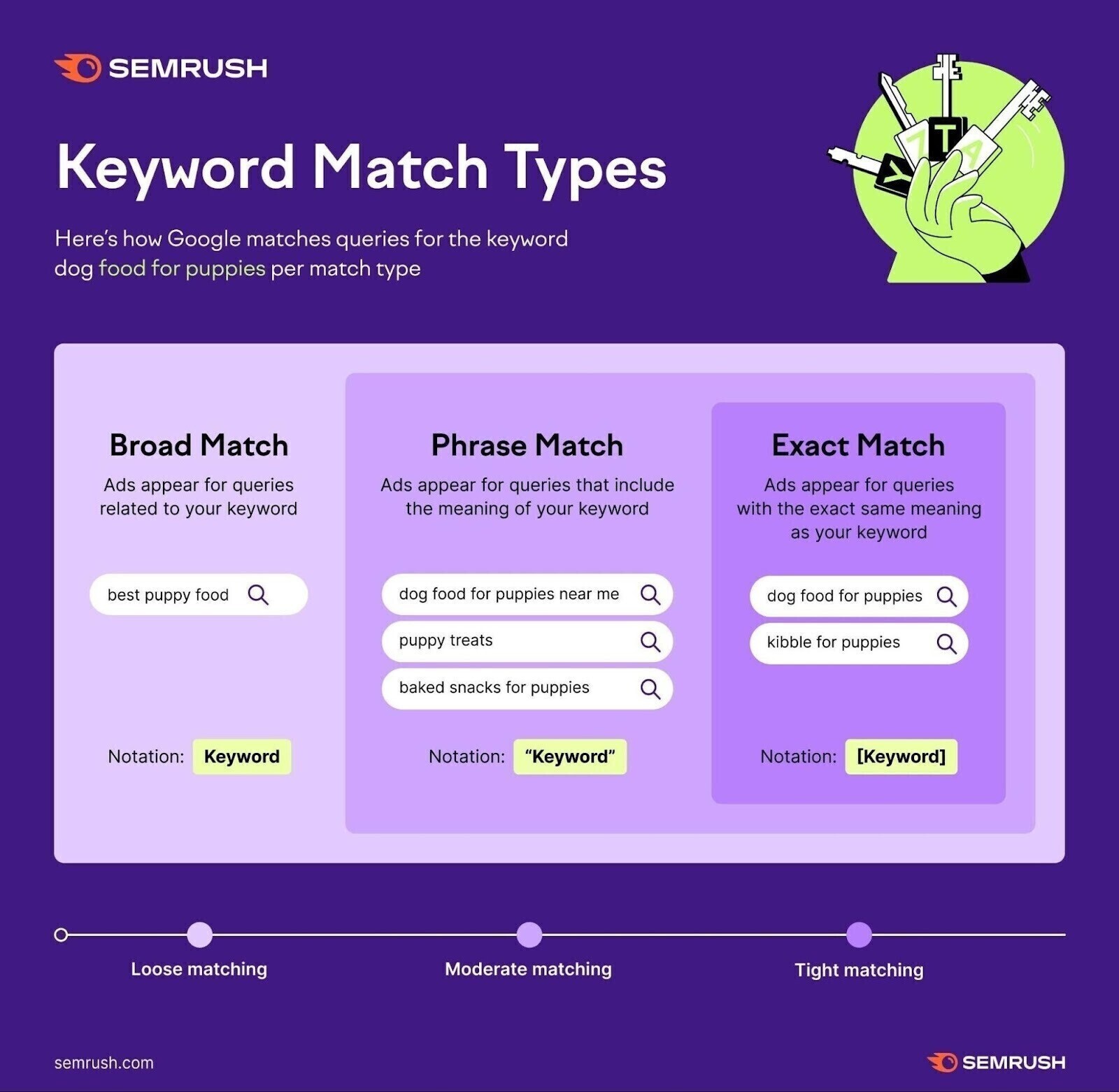
You could use broad match to show your ad to a wider variety of searchers. Or opt for exact match to target a more specific group.
What does this mean for your PPC campaign?
Exact match keywords tend to be more targeted (and relevant) but have higher CPC. Broad match keywords are less targeted (less relevant) but have lower CPC.
Use a healthy mix of each match type. And consistently optimize your campaign.
7. Make Device Adjustments
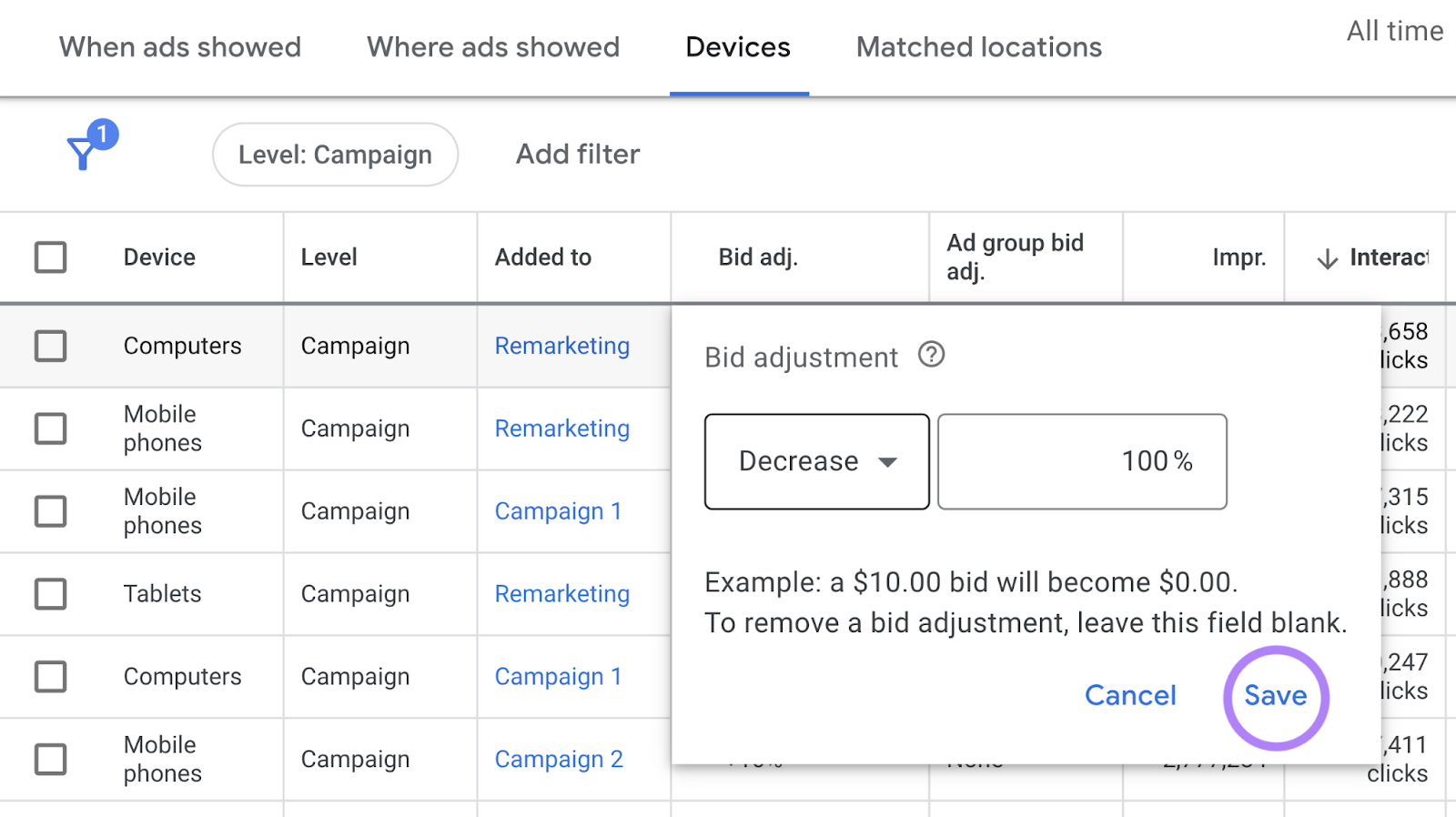
You can also manually increase or decrease your max CPC across mobile, tablet, and desktop devices.
Start by researching how your customers behave on each device through Google Ads.
For example, mobile devices may attract more clicks and impressions. But you may find that searchers are just browsing rather than converting.
To see how your ads perform on different devices, go to Google Ads’ “Insights & reports,” click “When & where ads showed,” and head to the “Devices” tab.
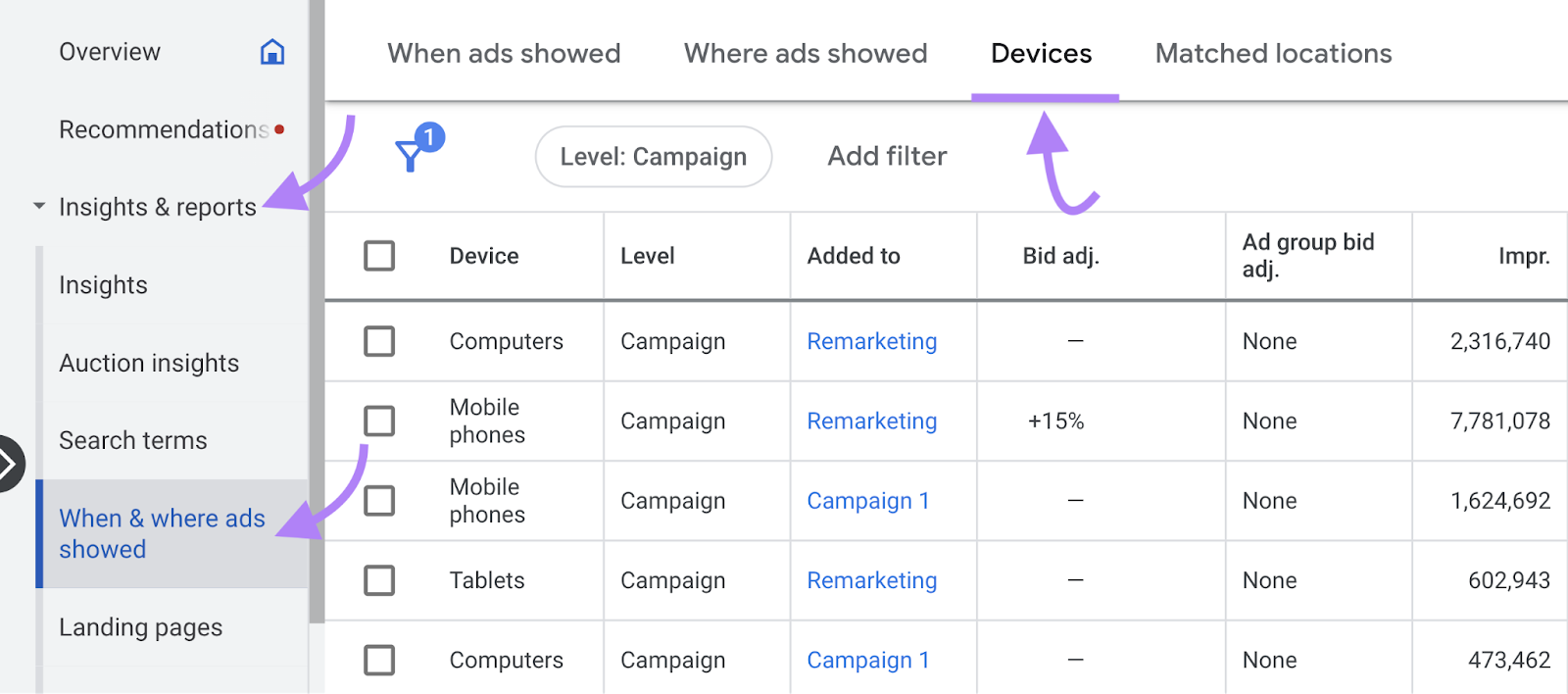
Make targeted bid adjustments by clicking the pencil icon in the “Bid adj.” column and setting your ads to target specific devices.
Uncover Your Competitors' Ad Strategies
Now that you’ve learned all about CPC, it’s time to take it a step further.
That means taking an inside look at your competitors’ ad strategies. And learning from their strengths and weaknesses to optimize your own campaign.
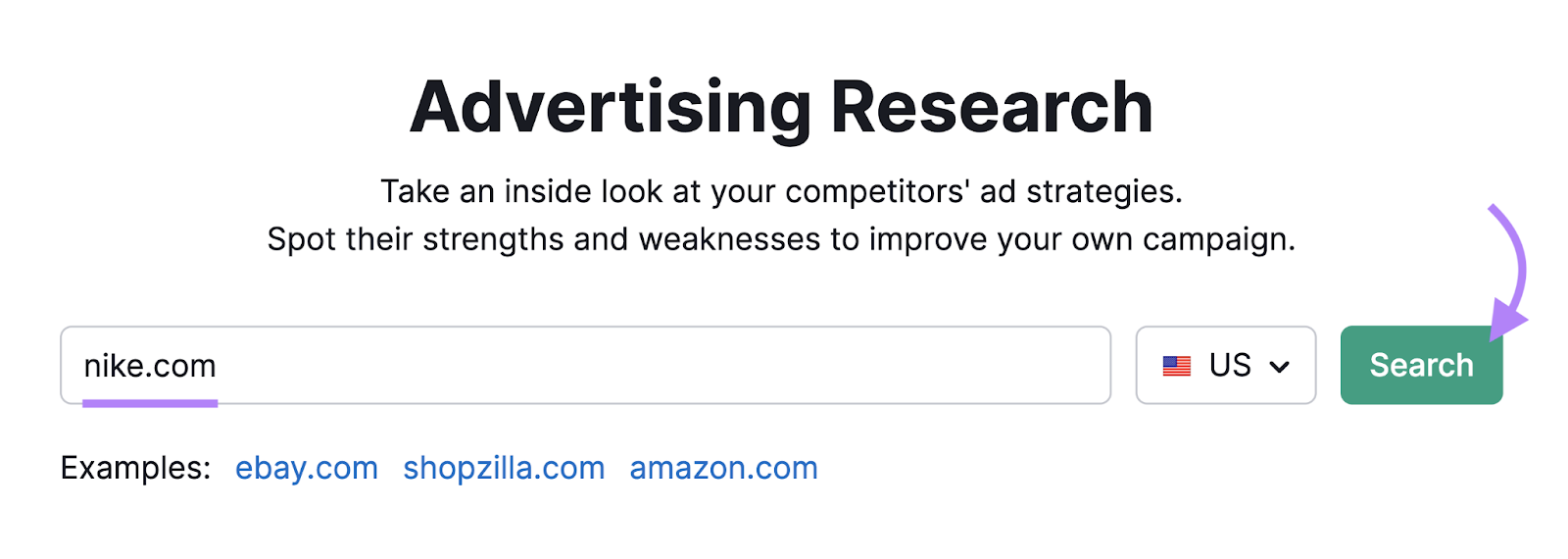
You can easily do that with the Advertising Research tool.
Just enter a competitor’s domain and click “Search.”
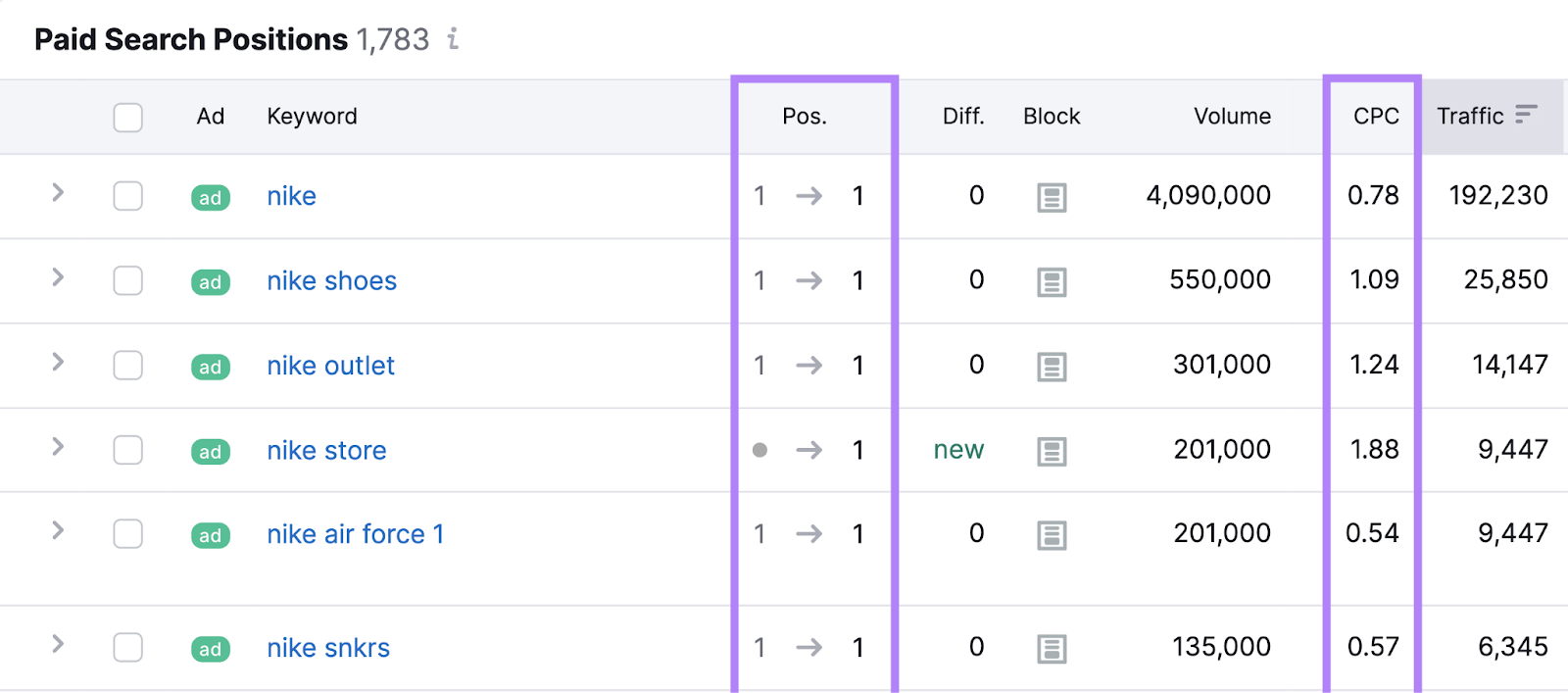
The first screen will display keywords your competitor is bidding on.
Along with each keyword’s ranking position in paid search, cost per click, and other helpful metrics.
Like this:
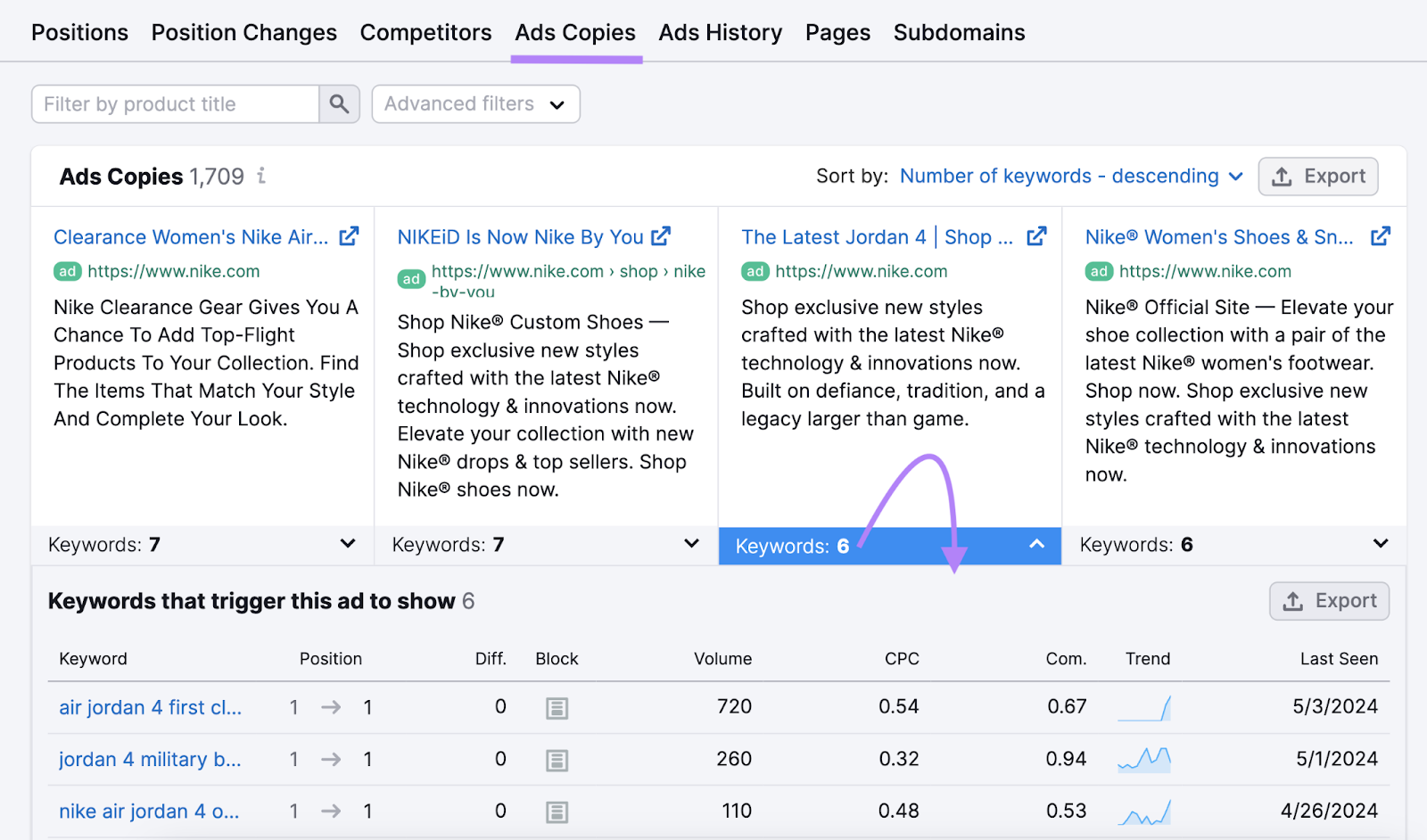
Head to the “Ads Copies” tab for an even deeper dive. You’ll see the exact ads your competitor is running—including headlines, ad copy, CTAs, landing pages, and the keywords they’re targeting.
Click on a “Keywords” drop-down to open a table with the keywords that trigger a specific ad in paid search results.
Repeat these steps for all of your top competitors, gather insights, and pull ahead.
CPC FAQs
What Is Maximum Cost Per Click?
Max CPC is the most you’re willing to pay per click. You set this in your Google Ads account.
When choosing your max CPC bid, choose the highest amount you think each click is worth. If someone clicks on your ad, you won’t pay more than your max CPC.
A higher bid generally helps your ad show in a higher ad position on the page.
But you generally only need to pay the minimum amount—as long as you beat competitors.
What Is Average Cost Per Click?
Average cost per click is the total cost of all your clicks divided by the total number of clicks.
Total cost of clicks / total number of clicks = avg. CPC
Let’s say your ad got two clicks: One click costs $1, and the other costs $3. Your total cost for both clicks is $4.
Divide $4 (your total cost) by 2 (your total number of clicks), and you get $2. In this case, your average CPC is $2.
$4 / 2 = $2
What Is Actual Cost Per Click?
Your actual CPC is the amount you’re ultimately charged for a click.
Typically, you’ll pay much less than your maximum cost per click bid. Because you only need to pay the minimum required amount to beat competitors immediately below you.
Here are two of the most important factors Google considers when evaluating ads:
Ad Rank is the score that decides where your ad appears on the SERP (or if it appears at all). Factors such as bid amount, ad quality, auction competitiveness, and search intent determine this score.
Quality Score lets you know how your ad compares with competitors’ CPC ads. A higher score (measured 1-10) means your ad and associated landing page are more helpful to users than your competitors’ ads.
Expected CTR, ad relevance, and landing page relevance affect an ad’s Quality Score.
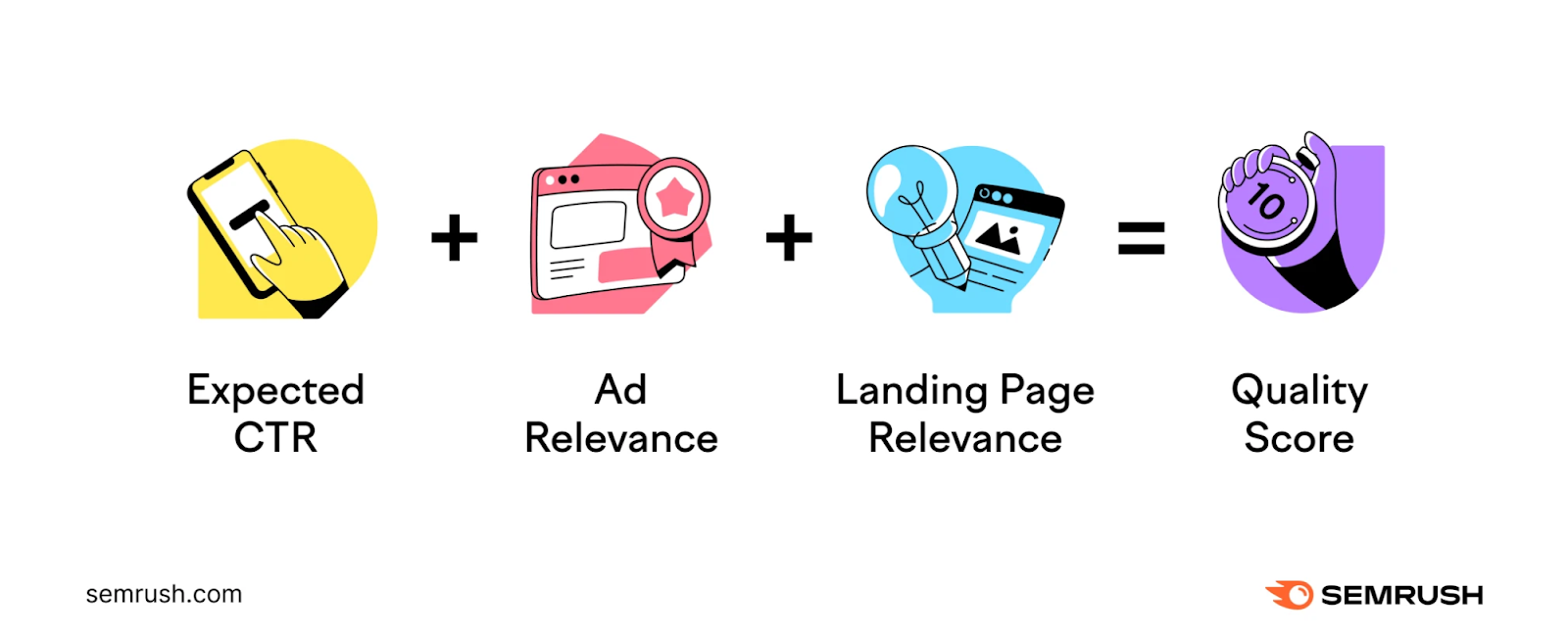
So, if your ad meets the quality threshold and you’re bidding enough, you have a chance of appearing above competitors.
What Is a Good Cost Per Click?
The right CPC varies across industries, platforms, and your specific marketing objectives.
Generally, industries such as legal and finance might see higher CPC due to competition. Others, like education and retail, may see lower costs.
It's best to establish your own benchmarks of a "good" CPC by tracking your advertising performance over time and continually working to improve your results.
What Is Manual Cost Per Click?
Manual CPC bidding lets you set your maximum CPC for each ad you run and each keyword you want to target.
Manual bidding is a great approach if you already know which keywords get more clicks and conversions. Manually set a higher budget for those keywords.
What Is Enhanced Cost Per Click?
Enhanced CPC (ECPC) lets you make the most of your manual CPC strategy by automatically adjusting manual bids if a click seems more likely to lead to a sale or conversion.
ECPC is a combination of manual bidding and Smart Bidding. Which is a bidding strategy that uses machine learning to optimize for conversions and conversion value.
ECPC uses browser, location, and time of day to adjust bids for the highest chance of a conversion for the best price.
In short, ECPC helps you get the best value for a conversion.
What Is Automated Bidding?
Automated bidding is a strategy that allows Google to automatically set bids based on the probability of your ad resulting in a click or conversion.
For example, Google can automatically set a higher budget for competitive keywords if you’re close to the top three paid search positions.
Different types of automated bidding strategies help increase clicks, visibility, and conversions.
If you set up your campaign using the Semrush Ads Launch Assistant app, you can choose your business goal—like “Increase website visitors” or “Increase or stabilize awareness.” The app will recommend a tailored bidding strategy to help you attain that particular objective.
With the app, you'll also get the top matching keywords for your campaign, along with auto-generated headlines, ad copy, extensions, and UTM tags.